Netlify
Netlify
Tạo file index.html trên GitHub và deploy lên Netlify
Tạo file index.html trên GitHub
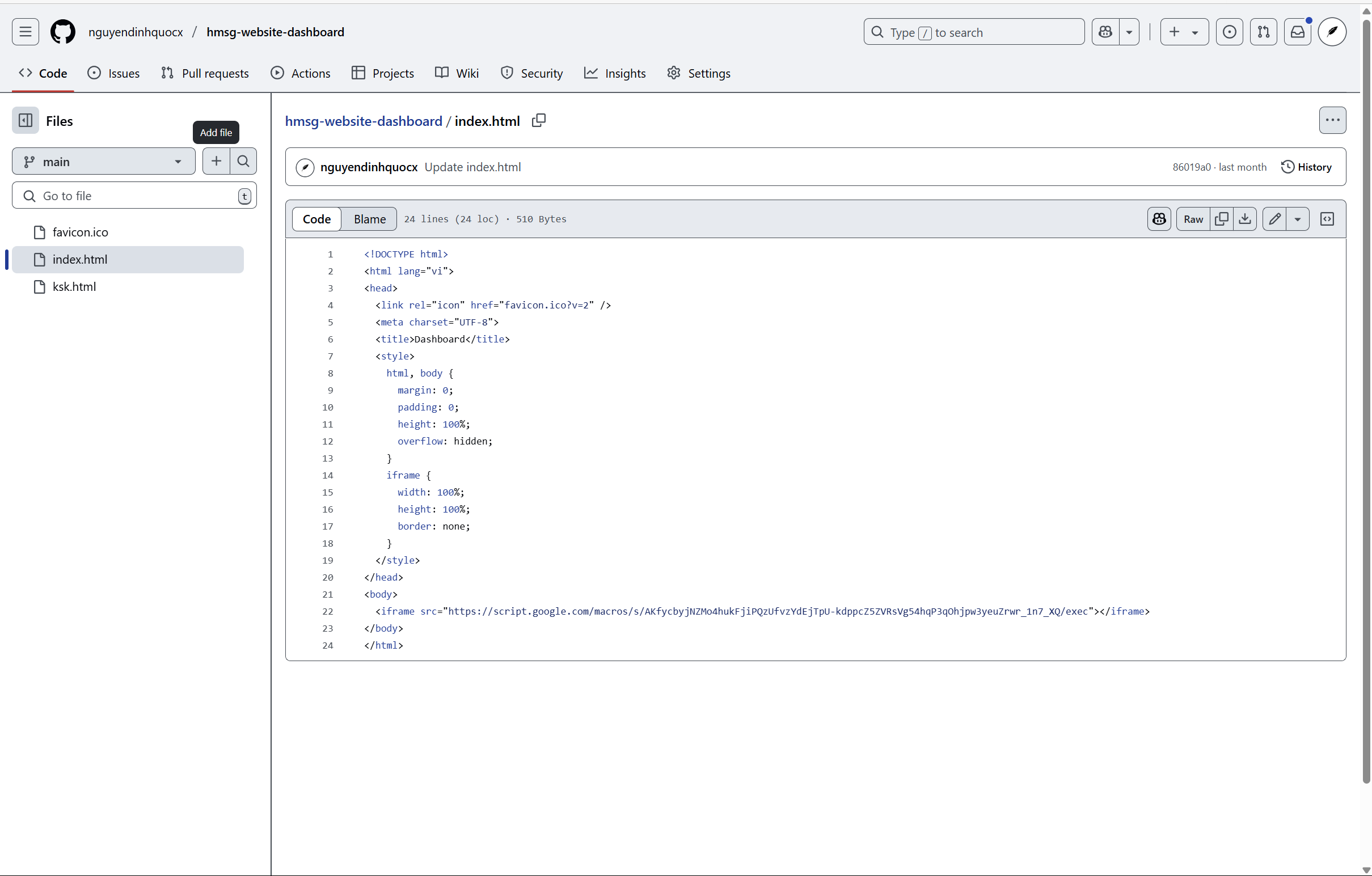
Tạo repository trên github và thêm file index.html
<!DOCTYPE html>
<html lang="vi">
<head>
  <link rel="icon" href="favicon.ico?v=2" />
  <meta charset="UTF-8">
  <title>Dashboard</title>
  <style>
    html, body {
      margin: 0;
      padding: 0;
      height: 100%;
      overflow: hidden;
    }
    iframe {
      width: 100%;
      height: 100%;
      border: none;
    }
  </style>
</head>
<body>
  <iframe src="https://script.google.com/macros/s/AKfycbyjNZMo4hukFjiPQzUfvzYdEjTpU-kdppcZ5ZVRsVg54hqP3qOhjpw3yeuZrwr_1n7_XQ/exec"></iframe>
</body>
</html>
GitHub → Netlify
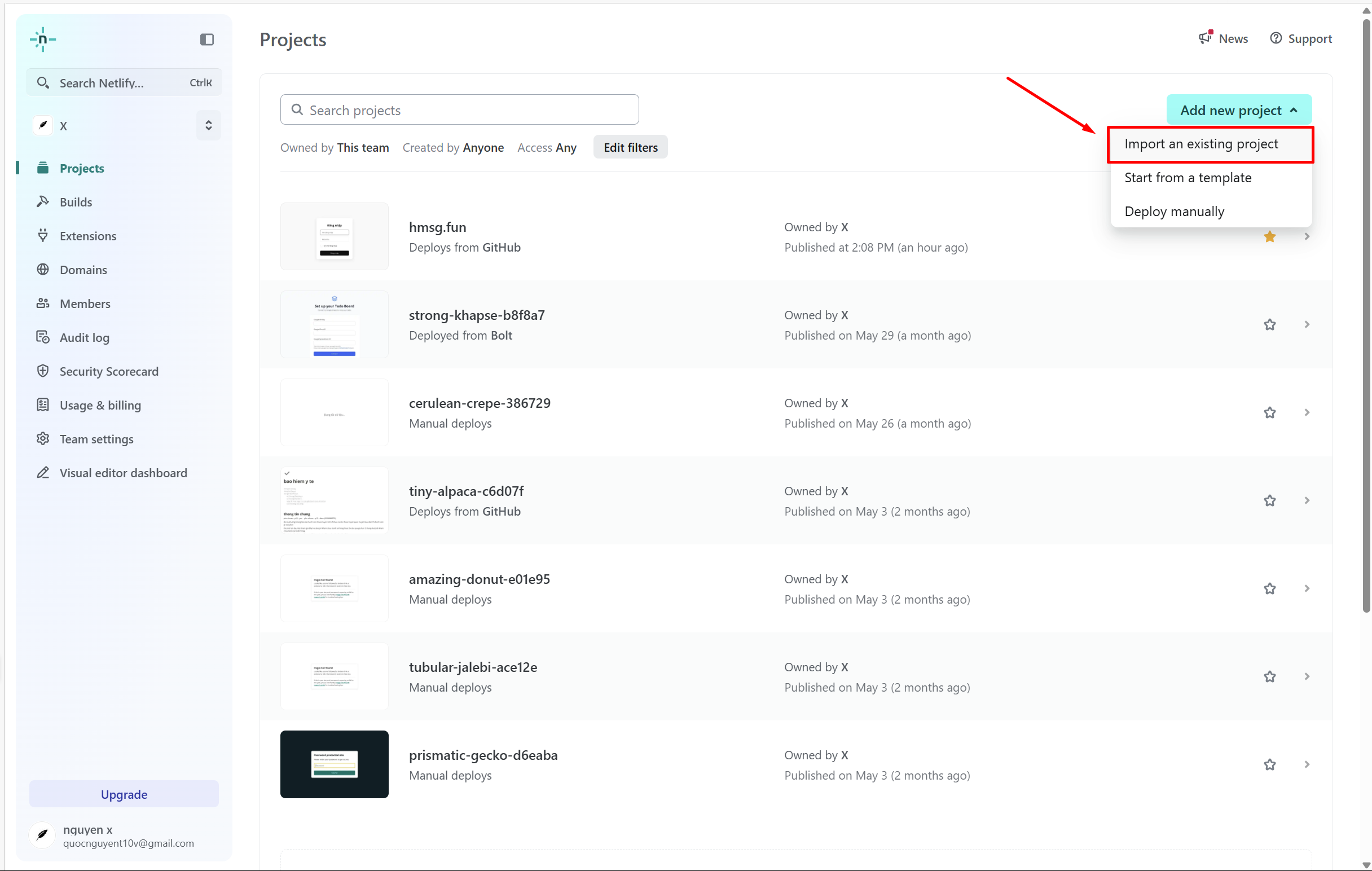
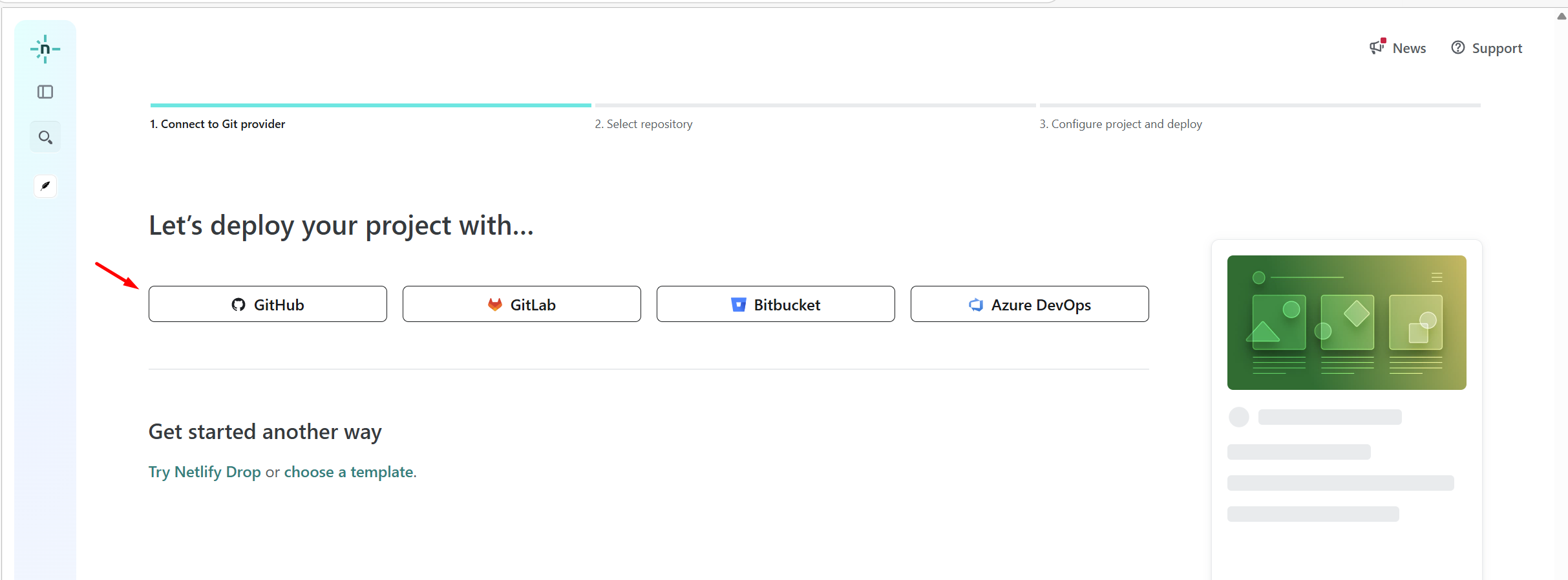
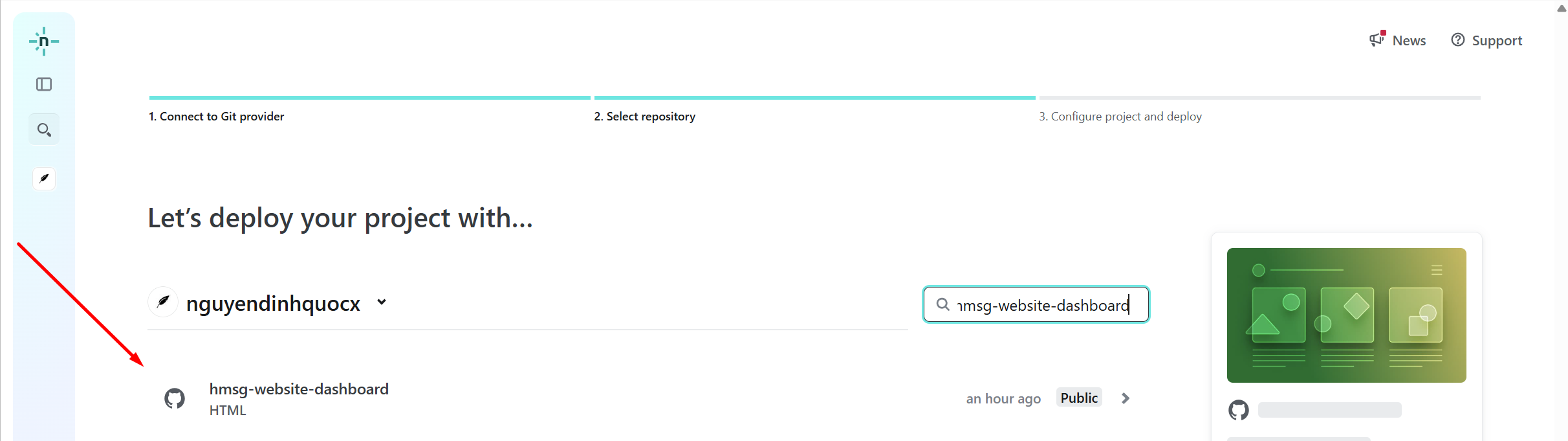
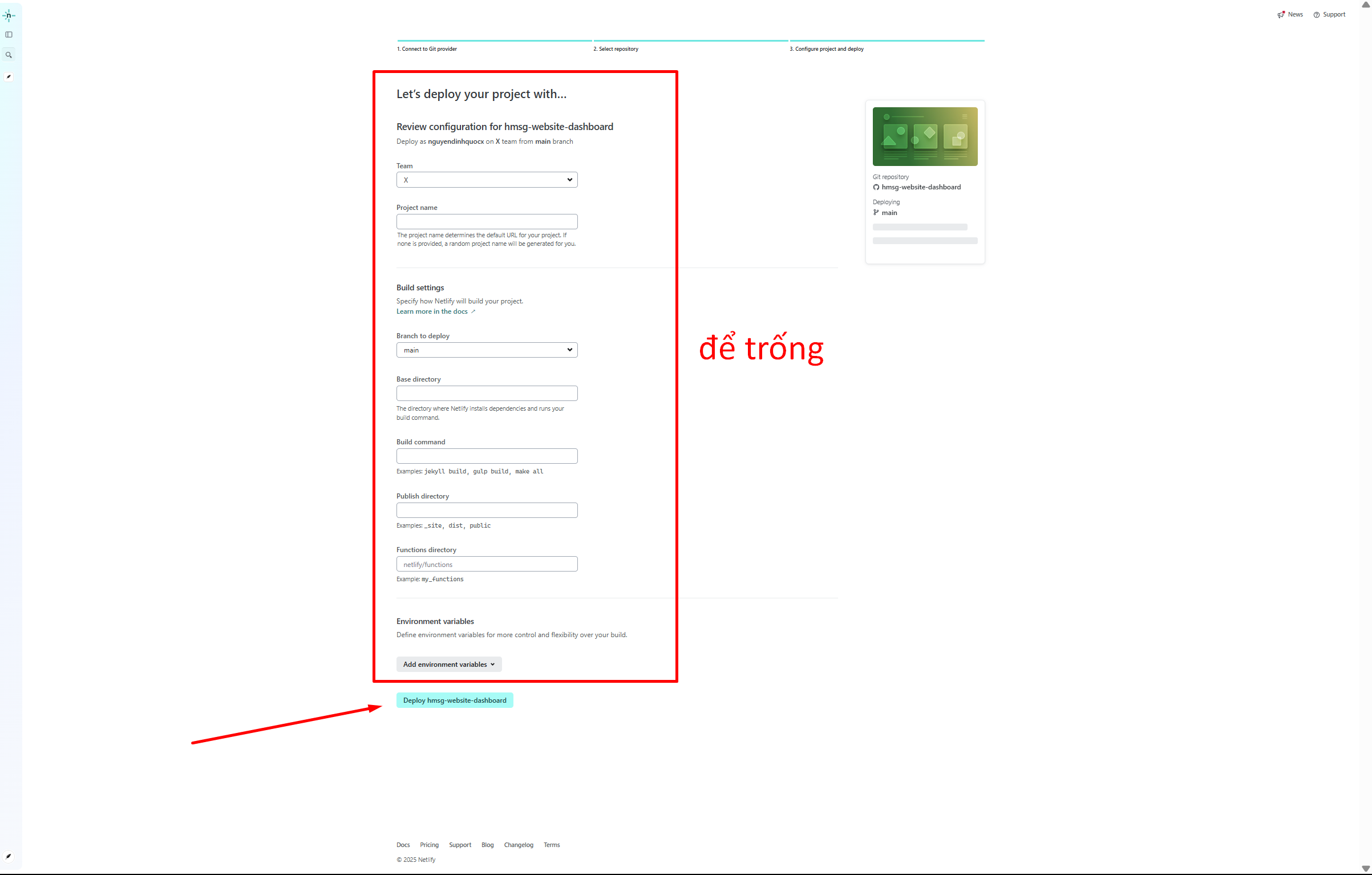
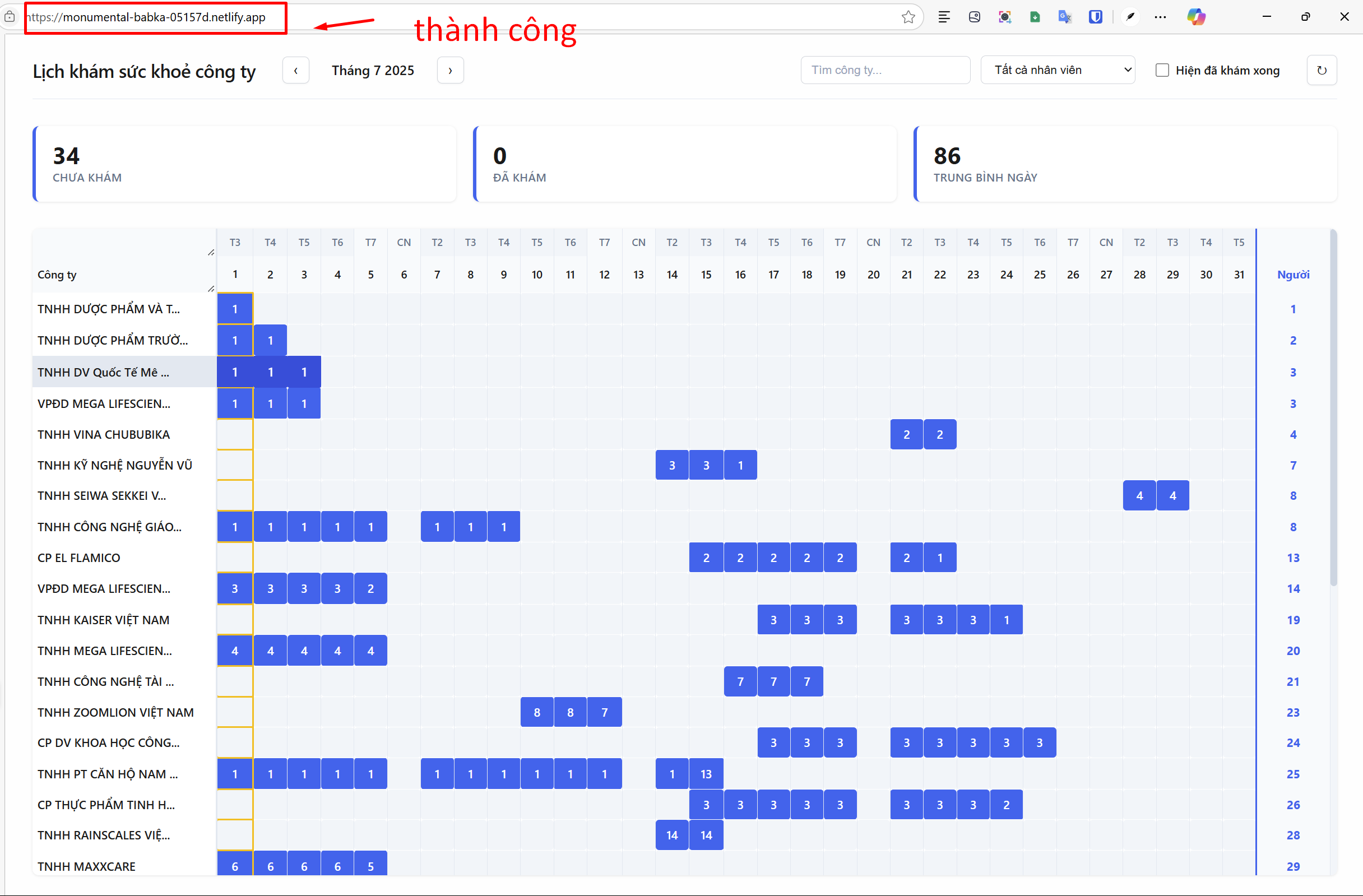
Vậy là xong
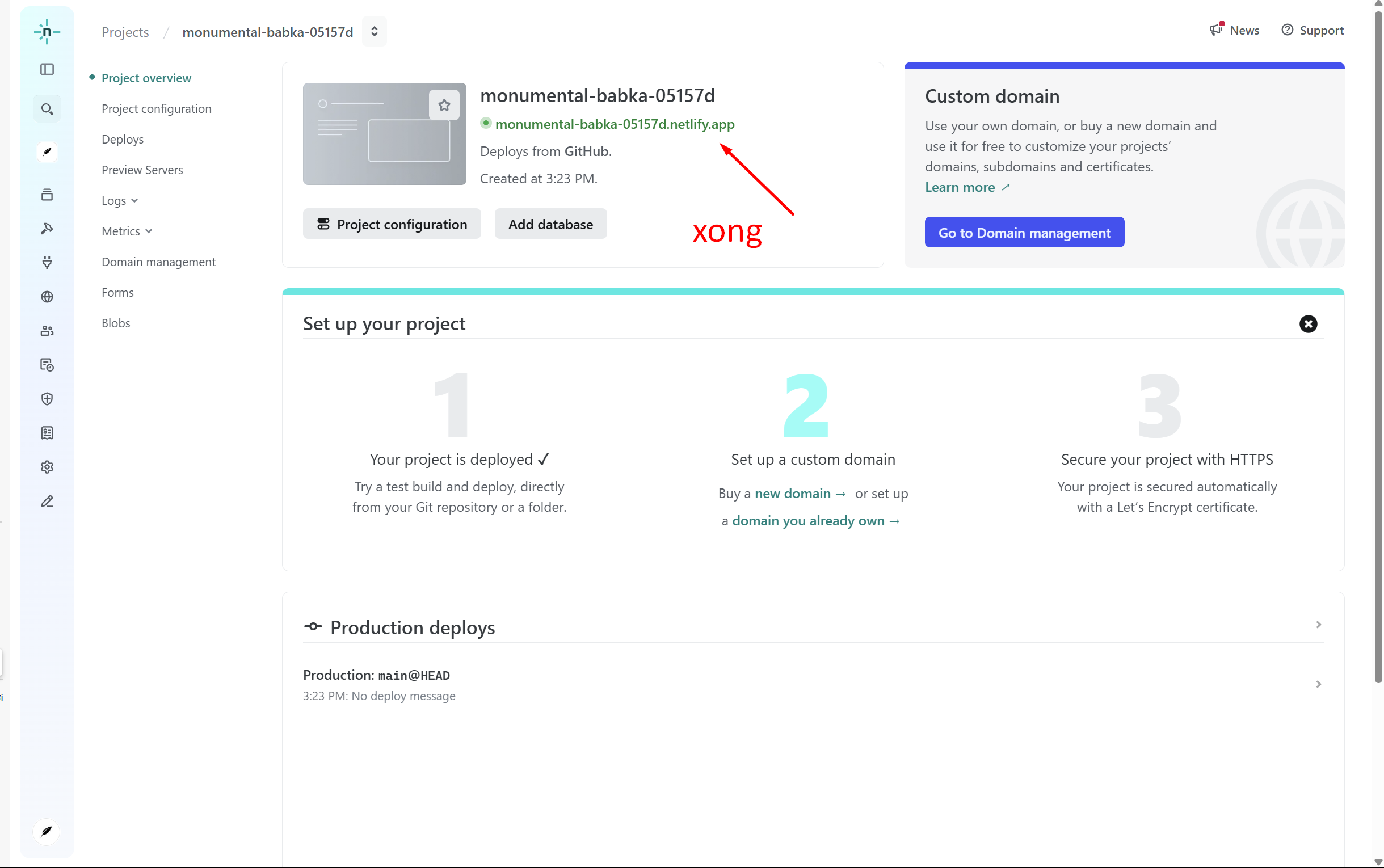
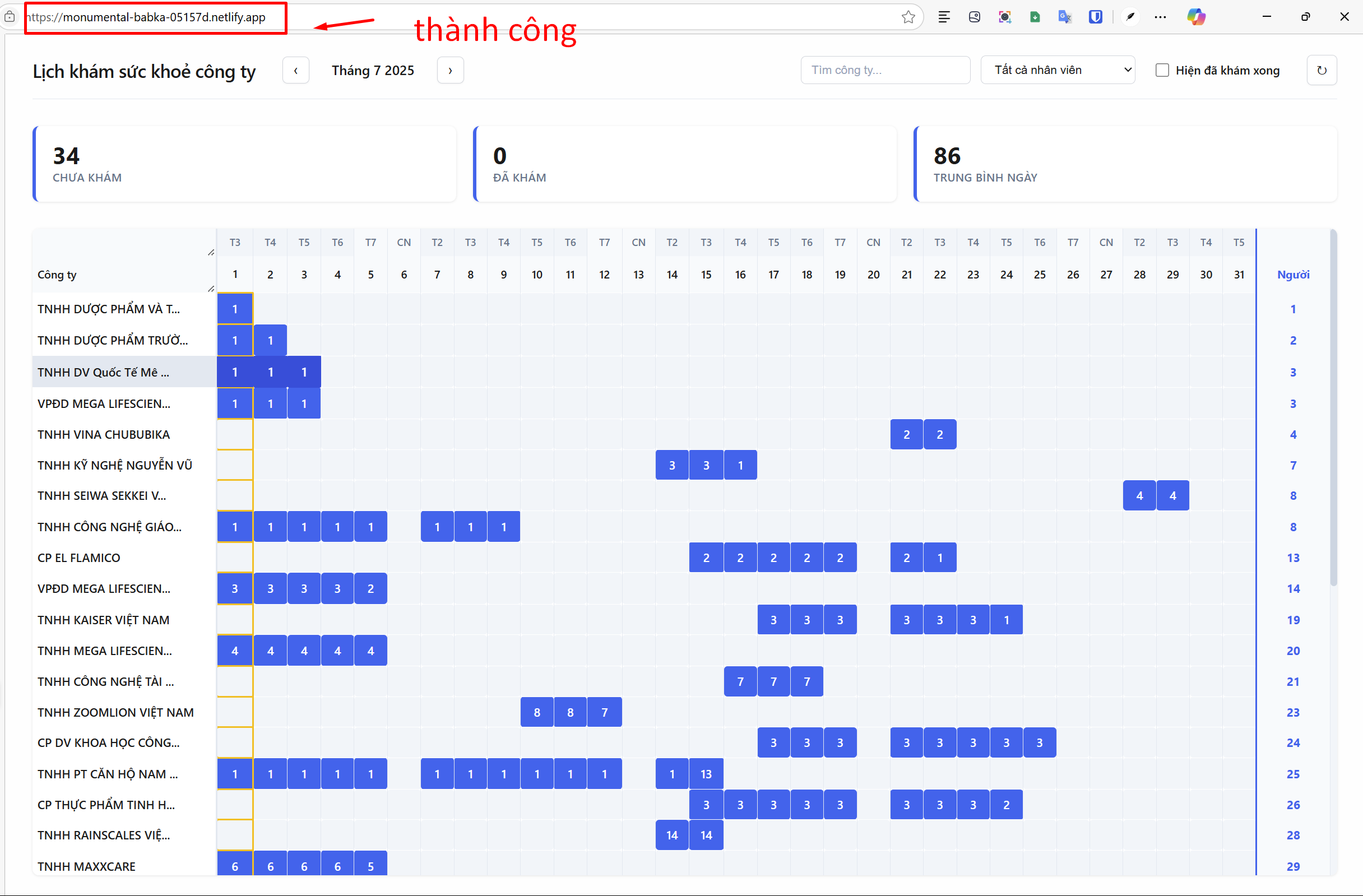
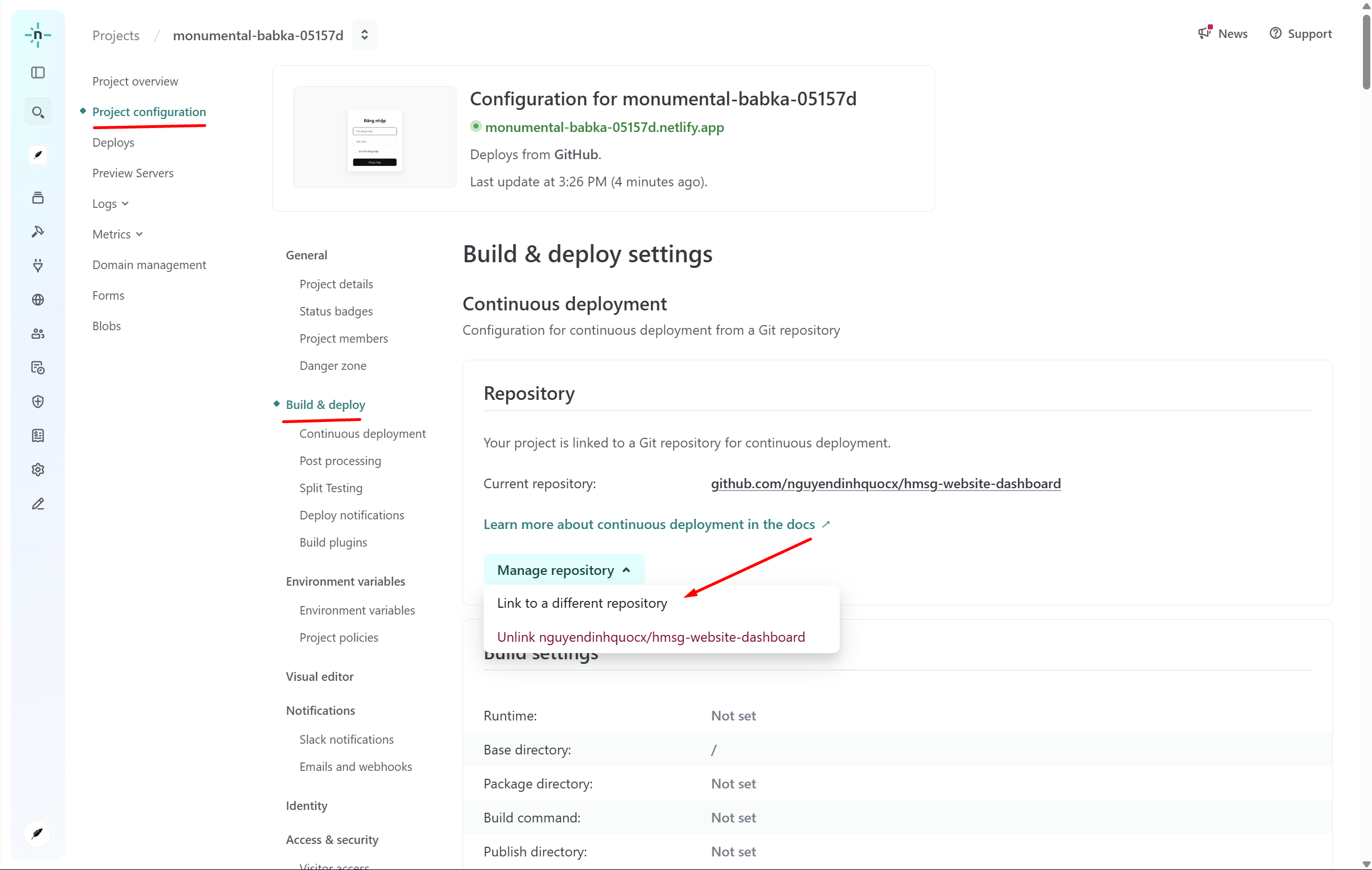
Xóa repository GitHub trên Netlify
Gắn trang web mua từ iNET vào Netlify
Sau khi mua xong tên miền
https://portal.inet.vn/list-service
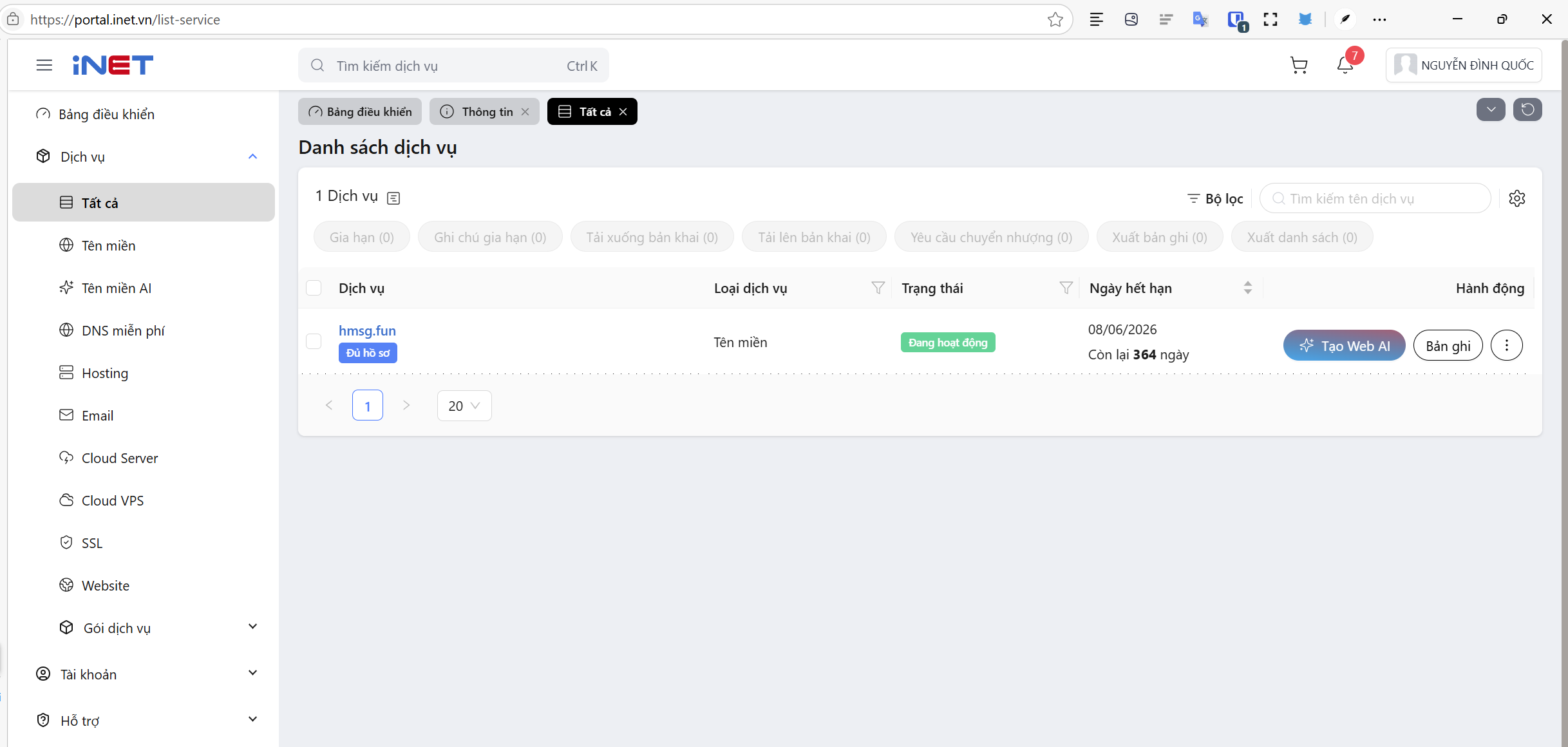
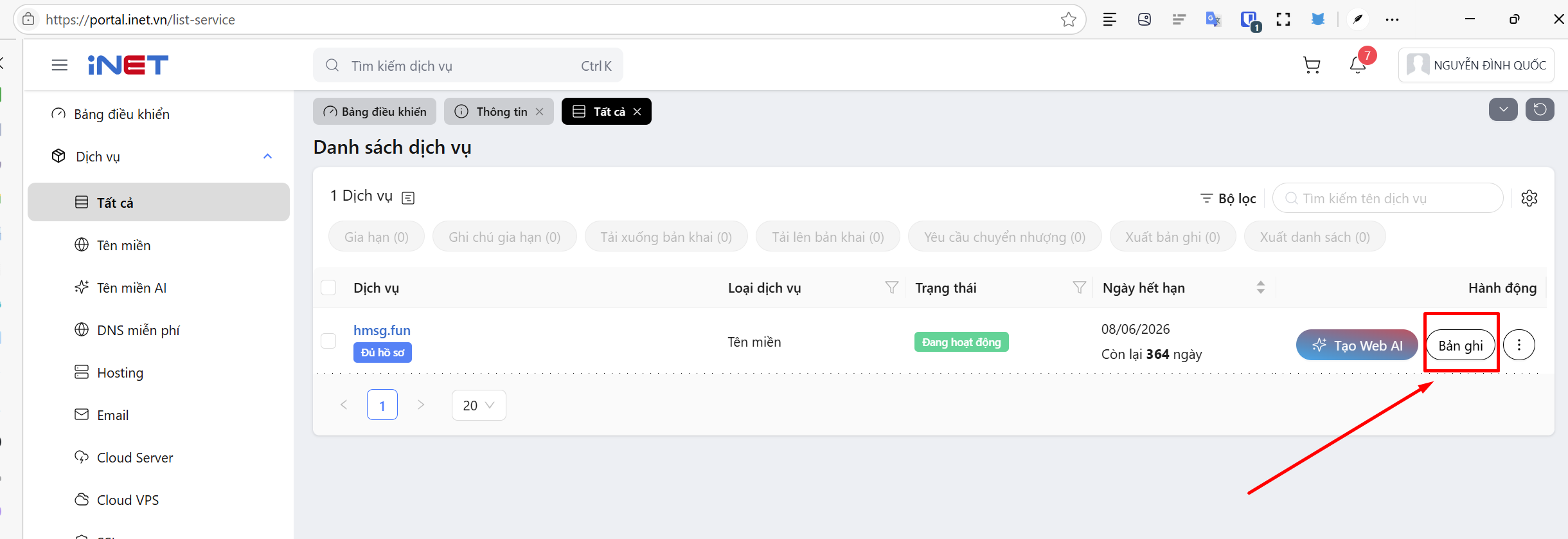
Cấu hình DNS
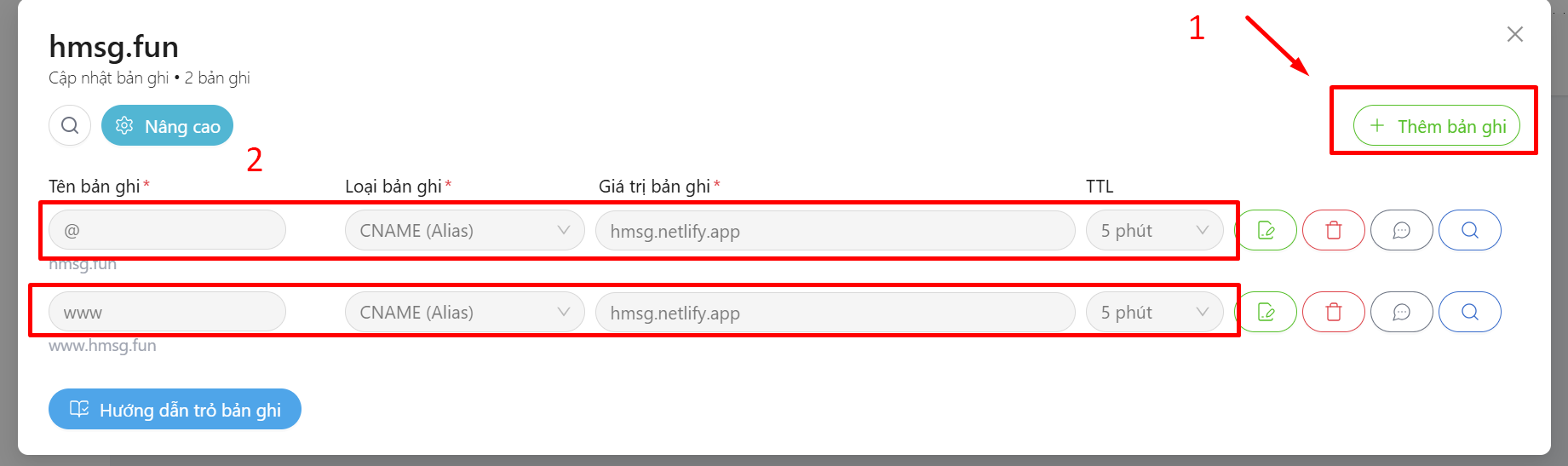
| Tên bản ghi | Loại bản ghi | Giá trị bản ghi |
| @ | CNAME | hmsg.netlify.app |
| www | CNAME | hmsg.netlify.app |
Vào Netlify
https://app.netlify.com/teams/nguyendinhquoc/projects
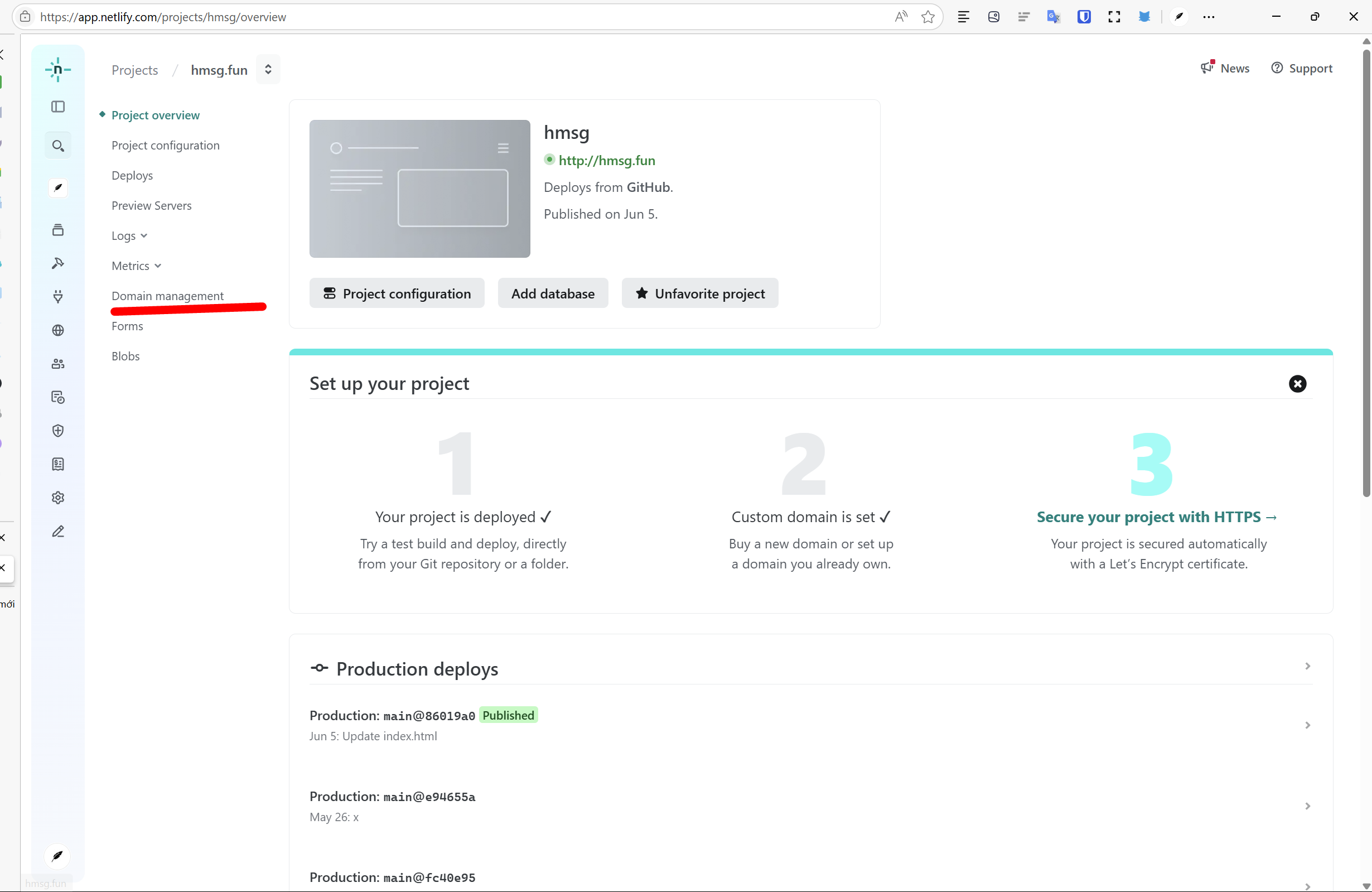
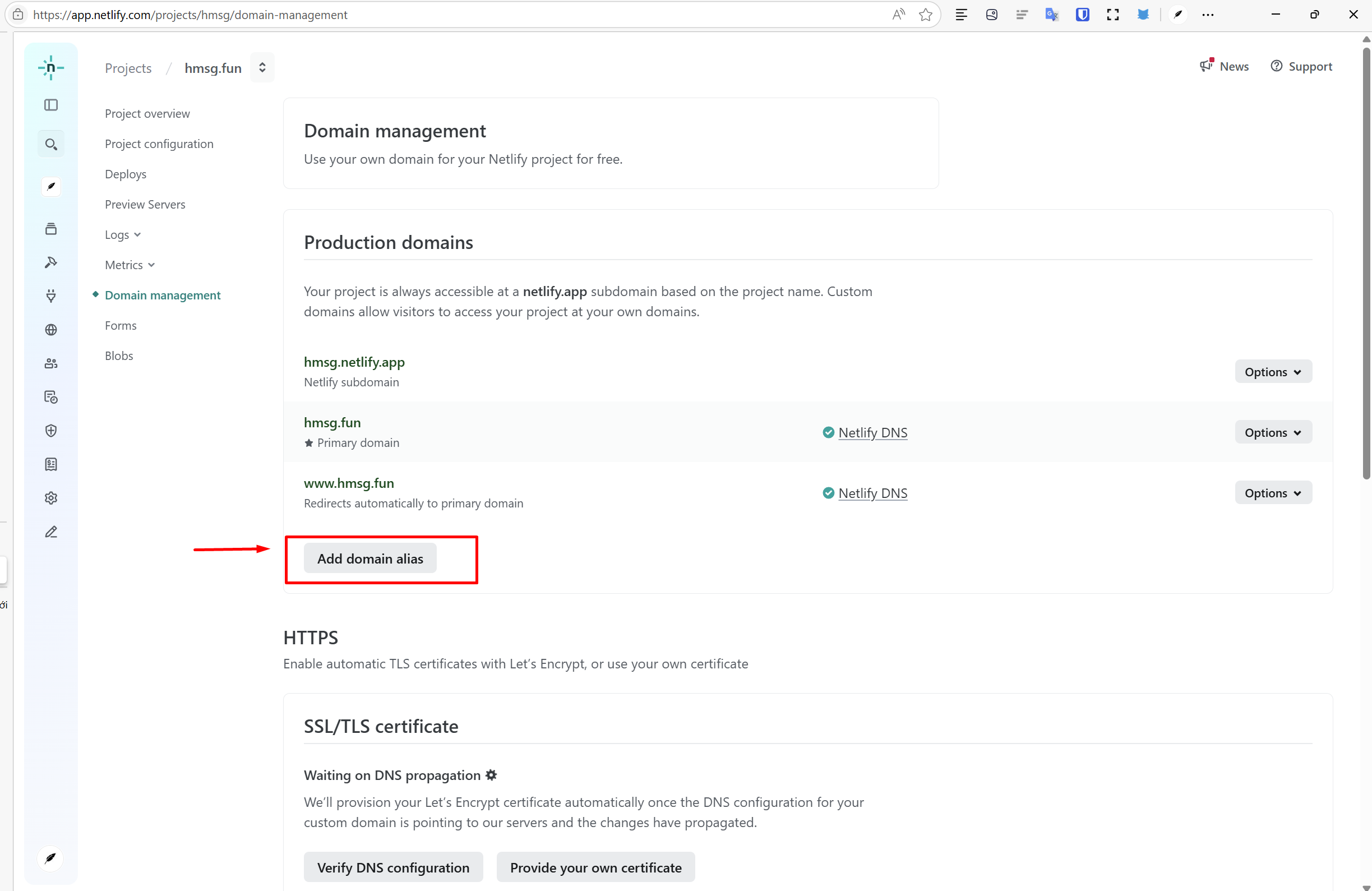
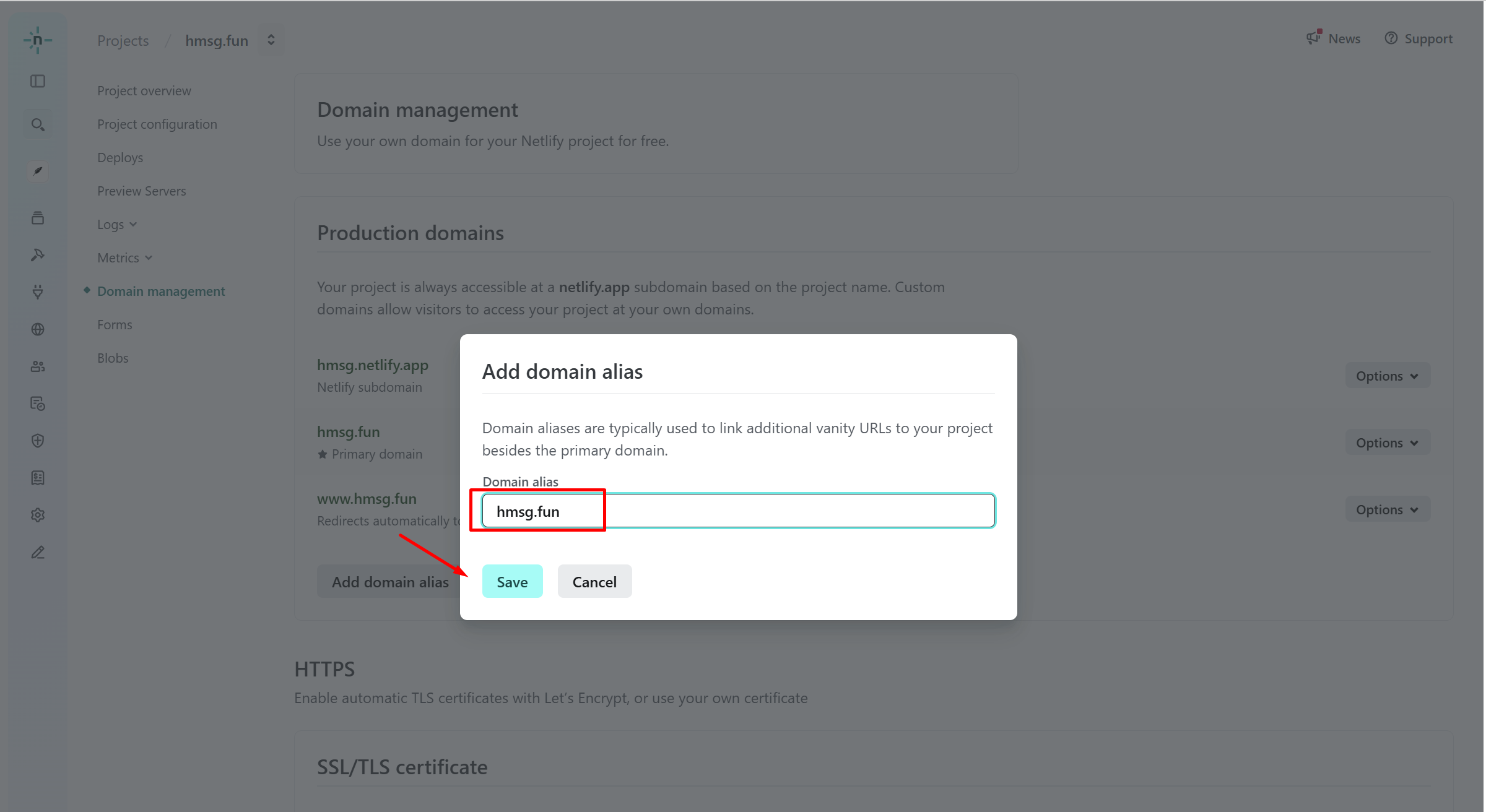
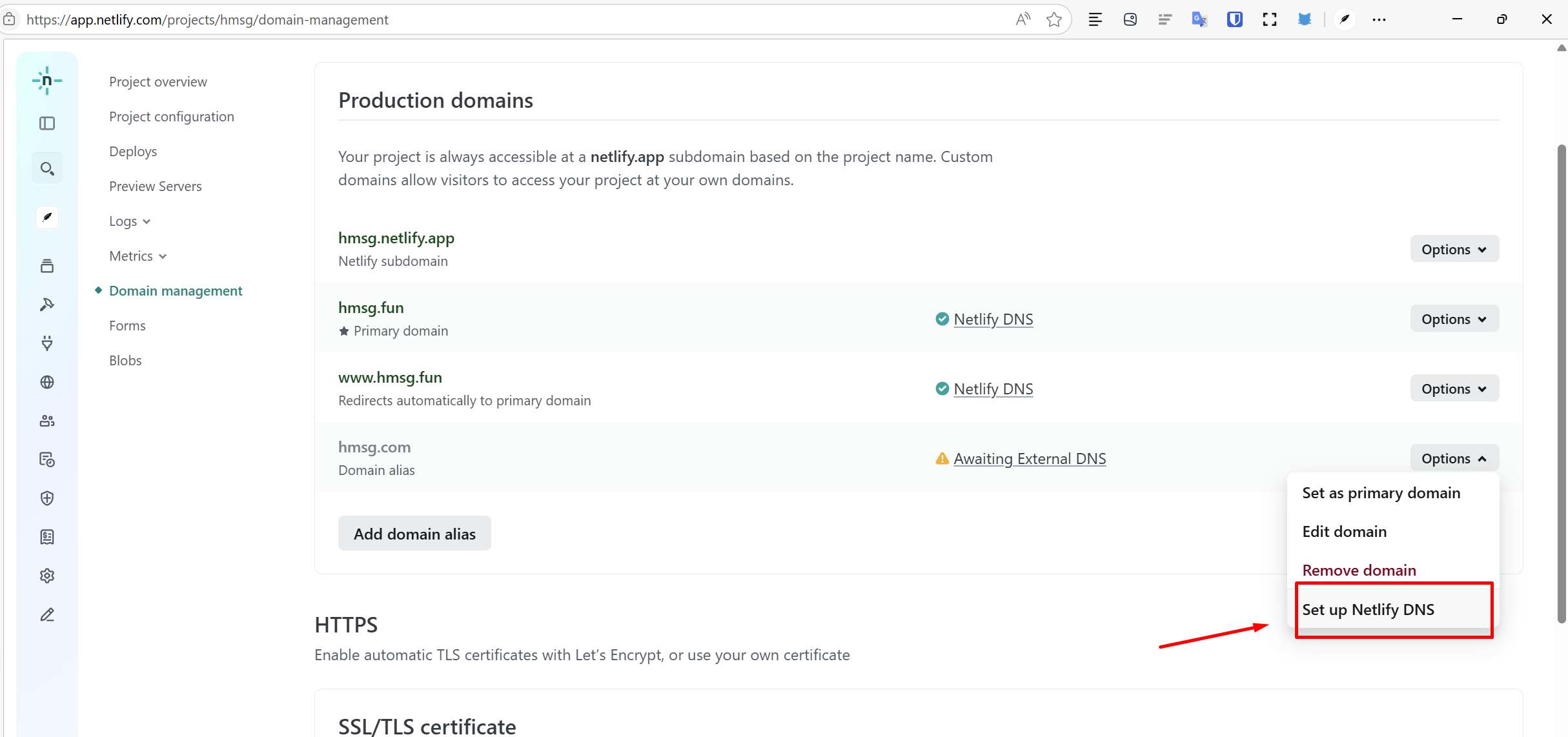
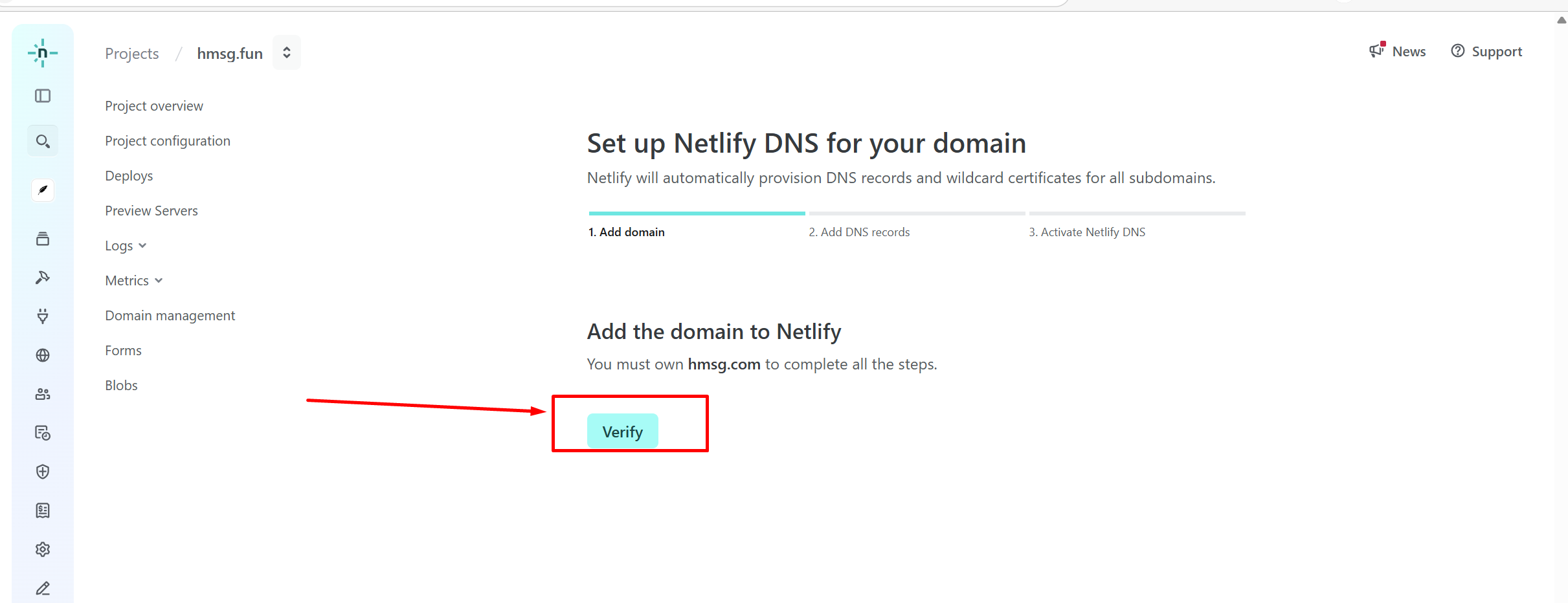
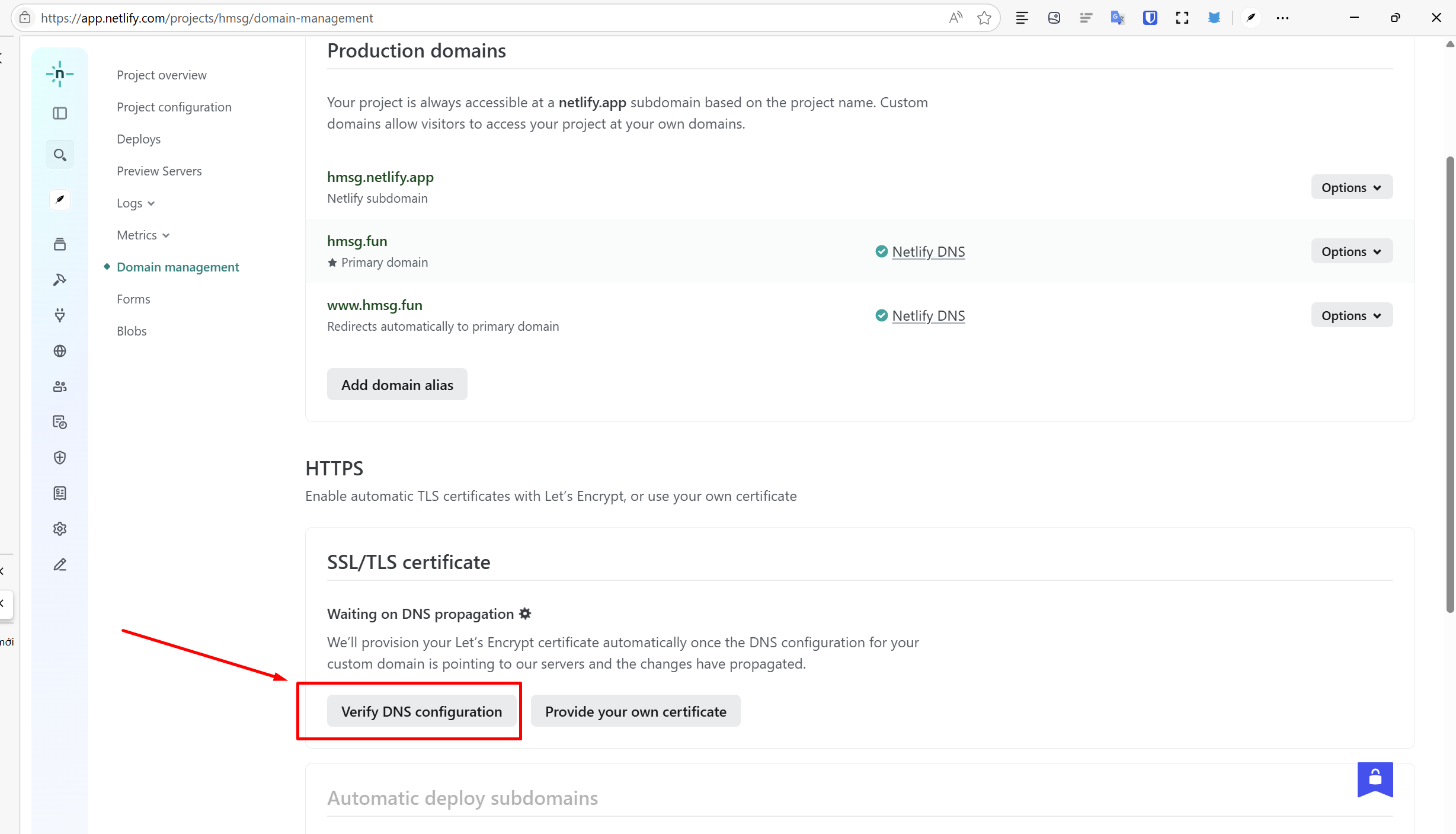
Xong
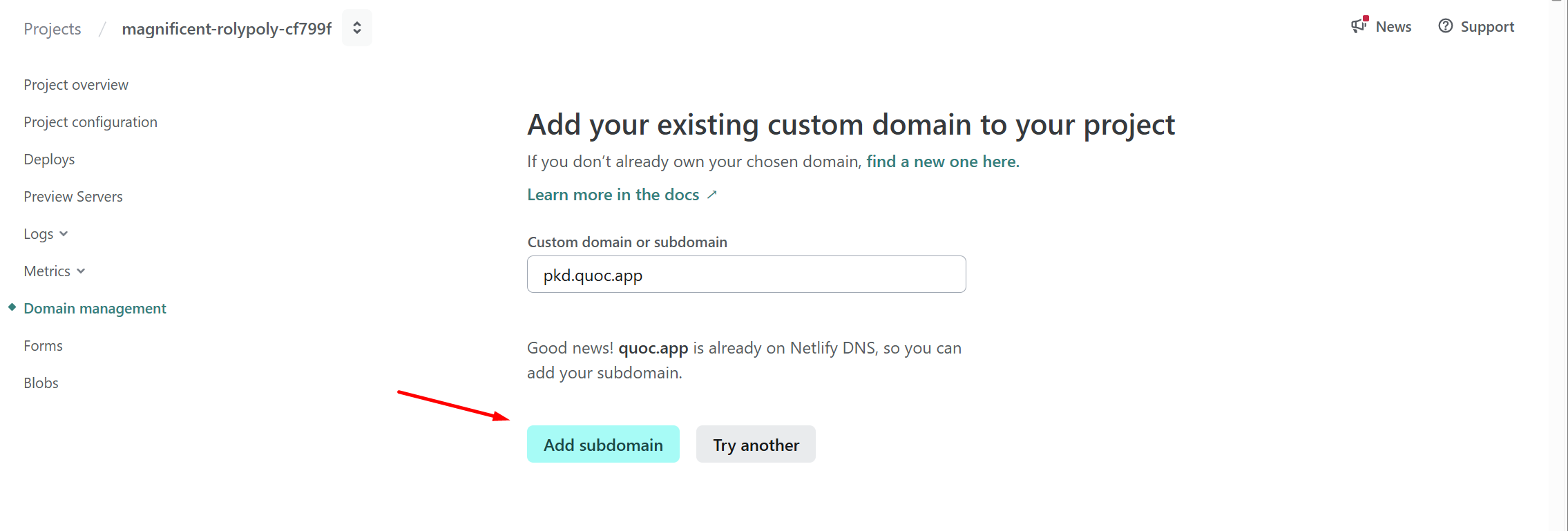
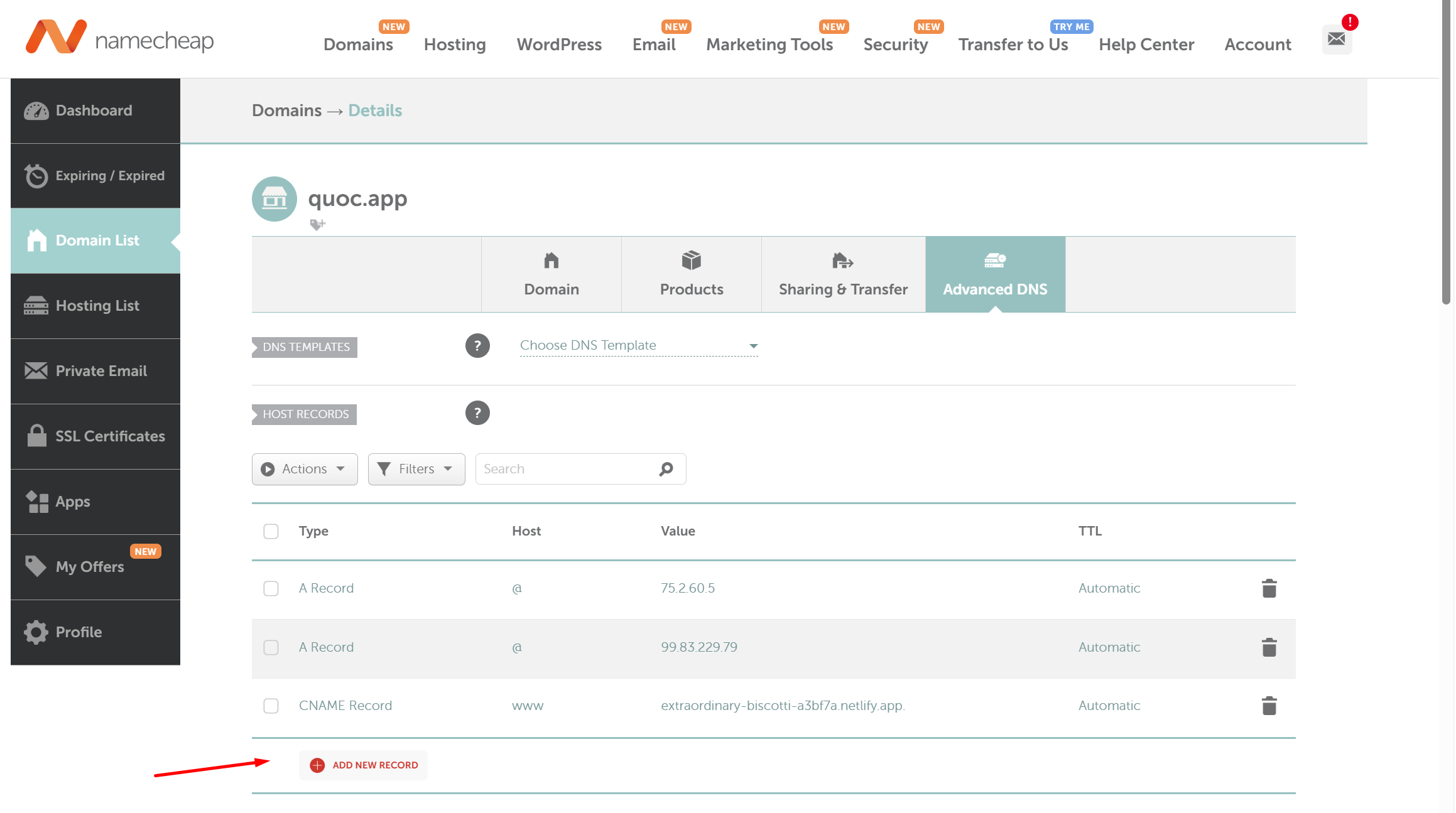
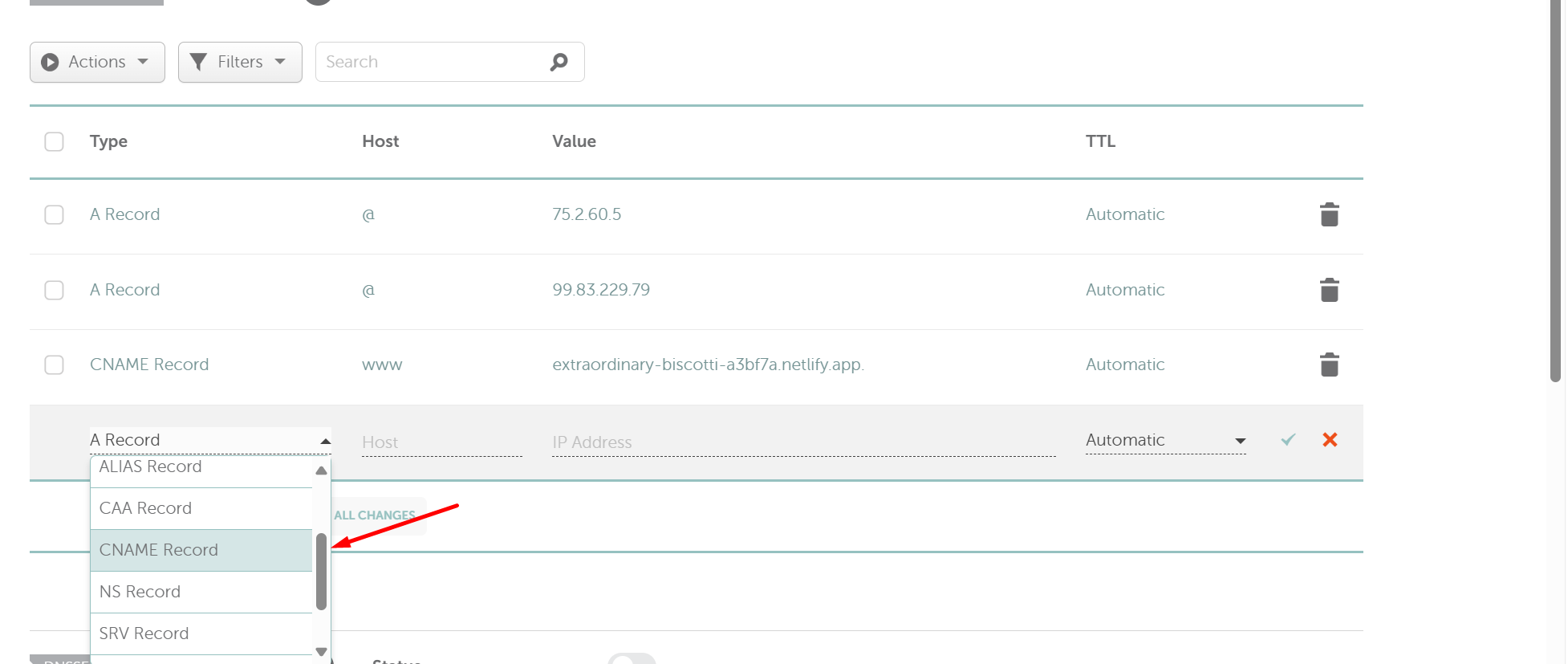
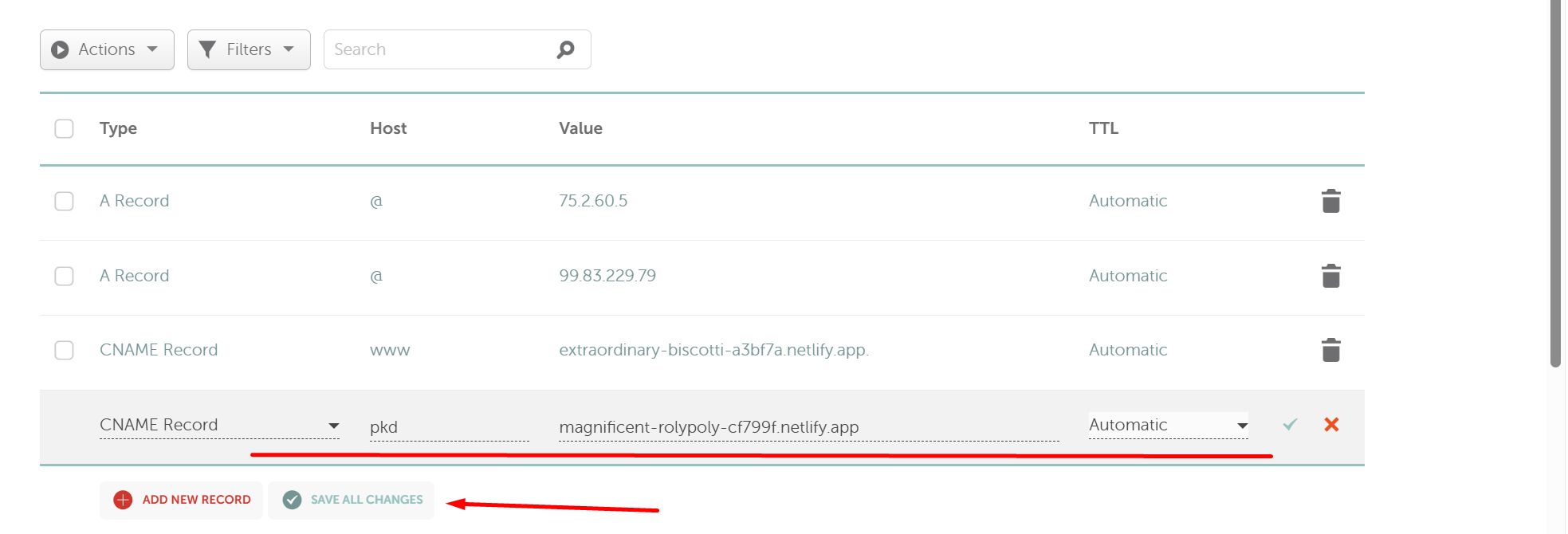
Gắn Netlify vào tên miền phụ
Cấu hình DNS
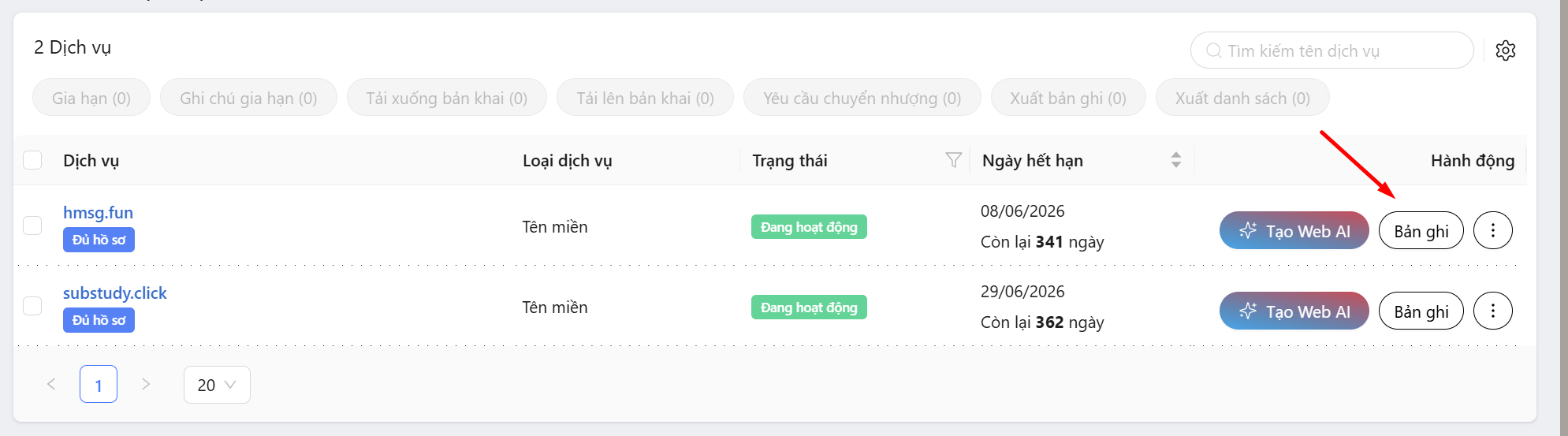
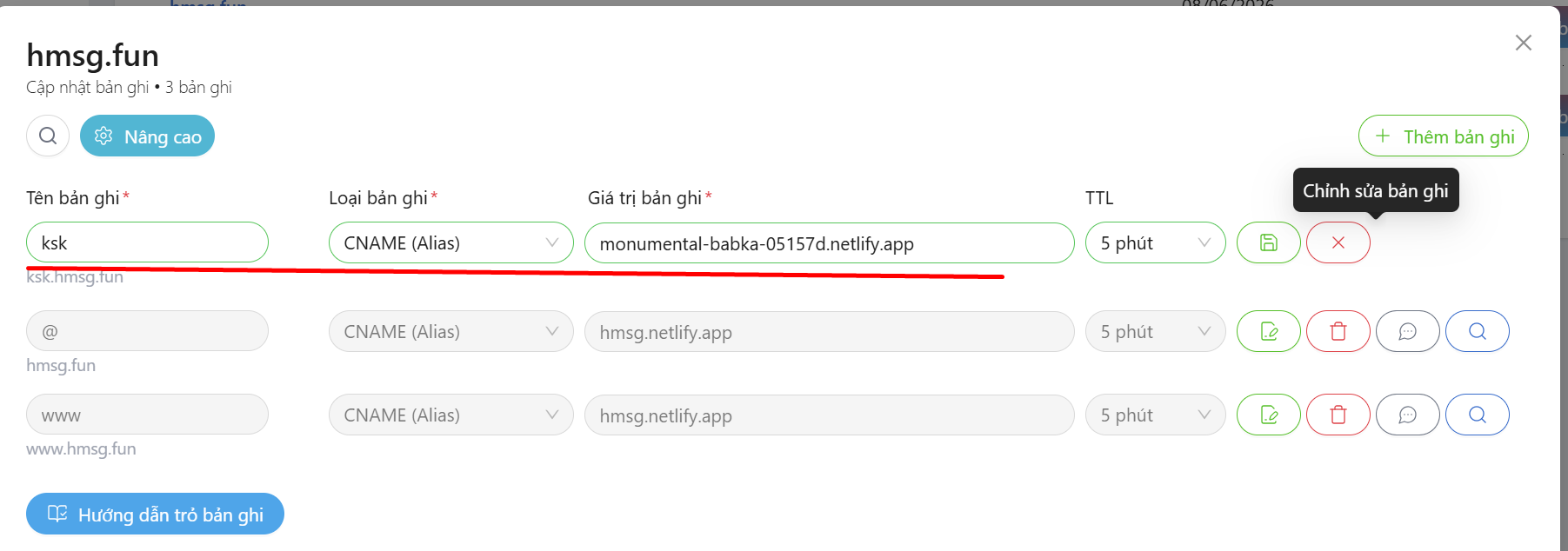
Cấu hình Netlify
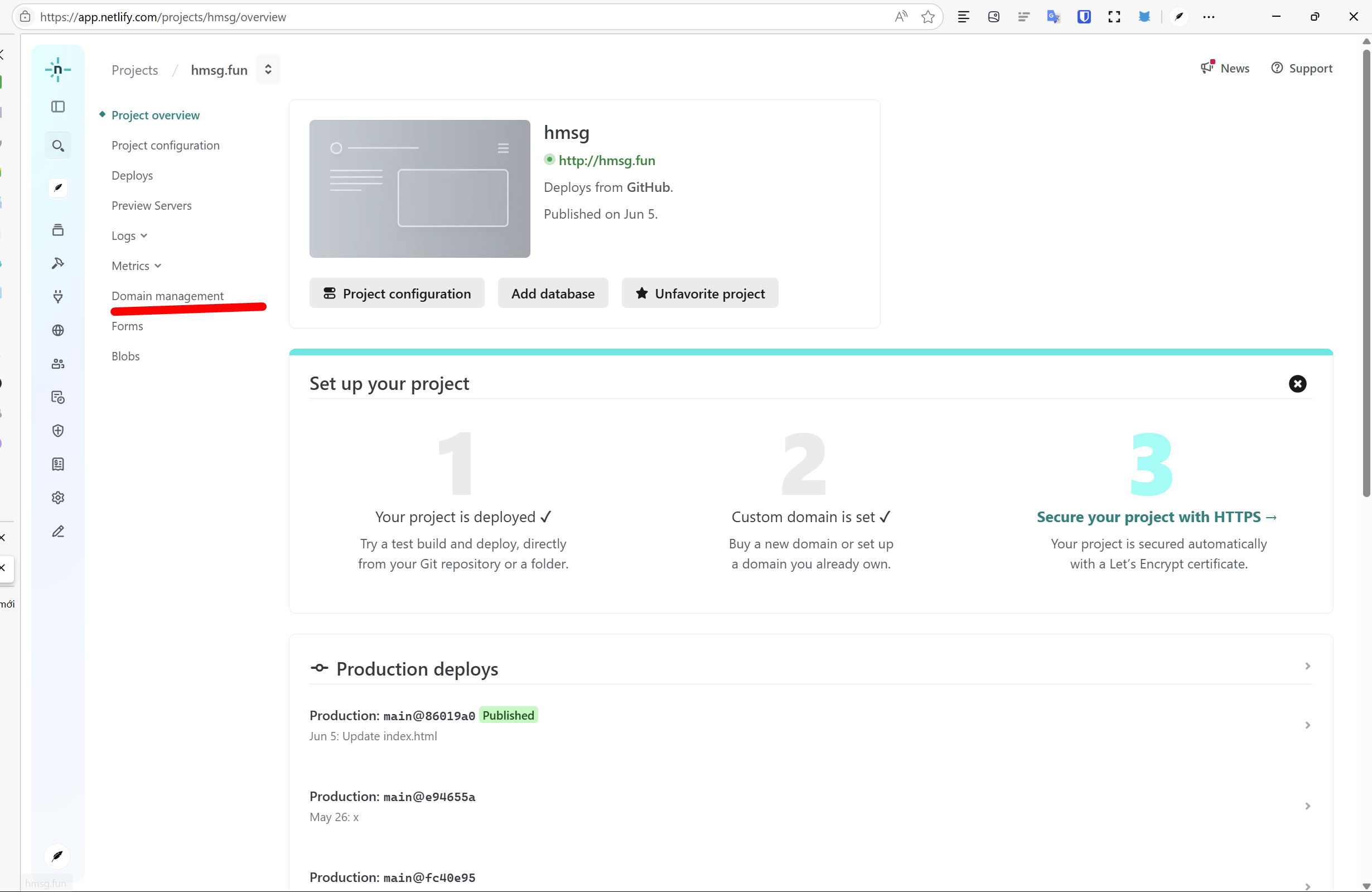
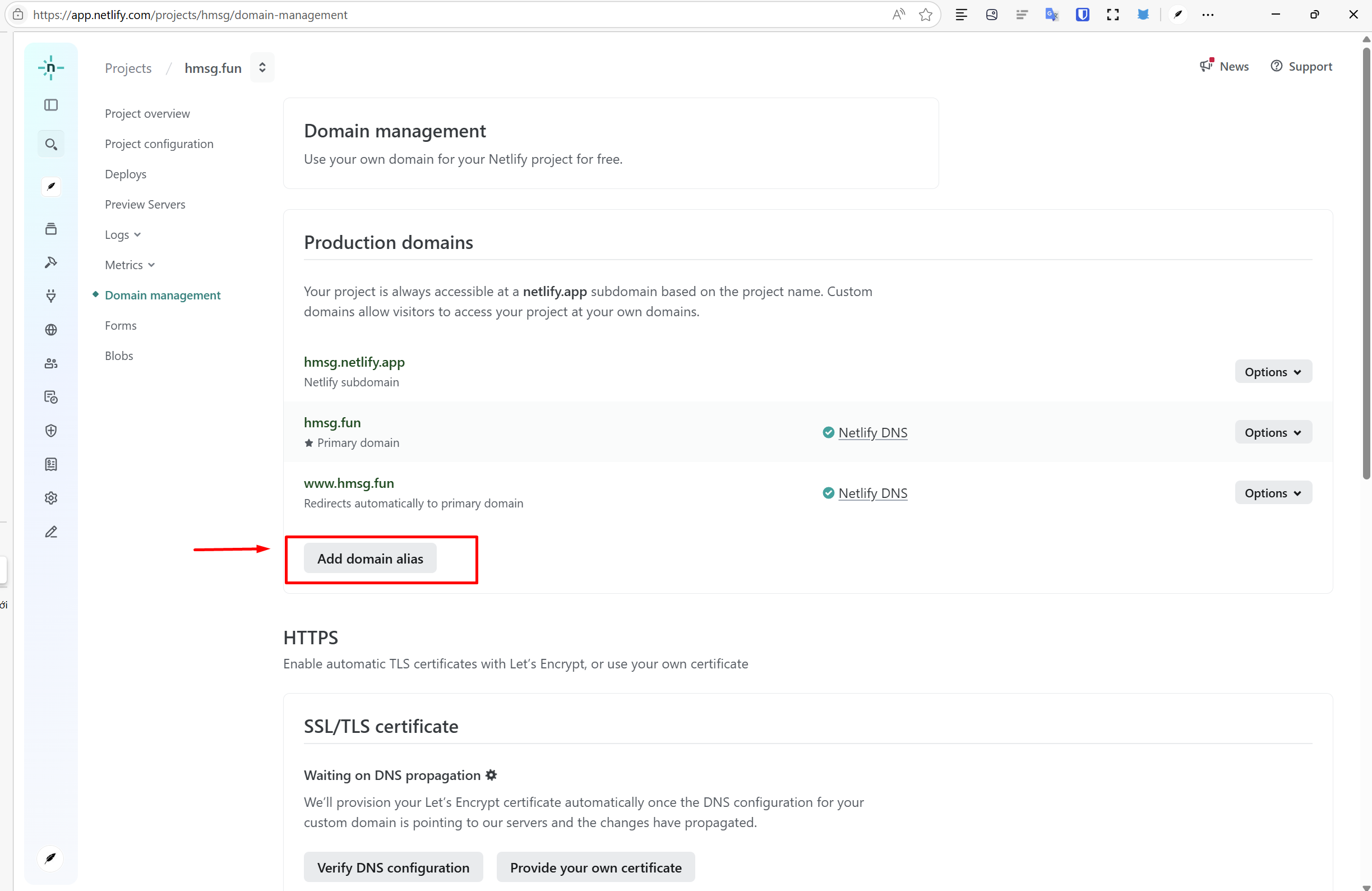
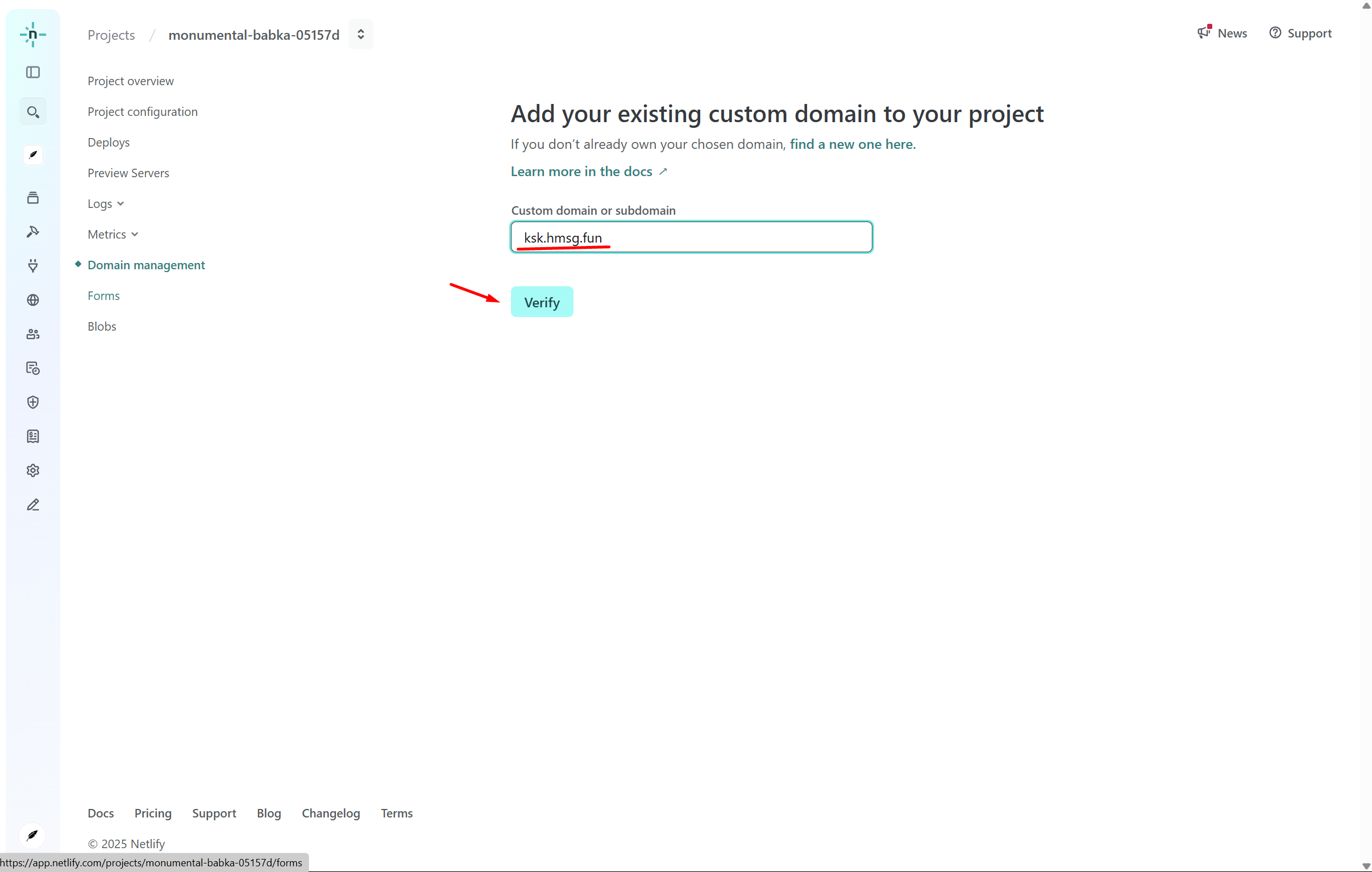
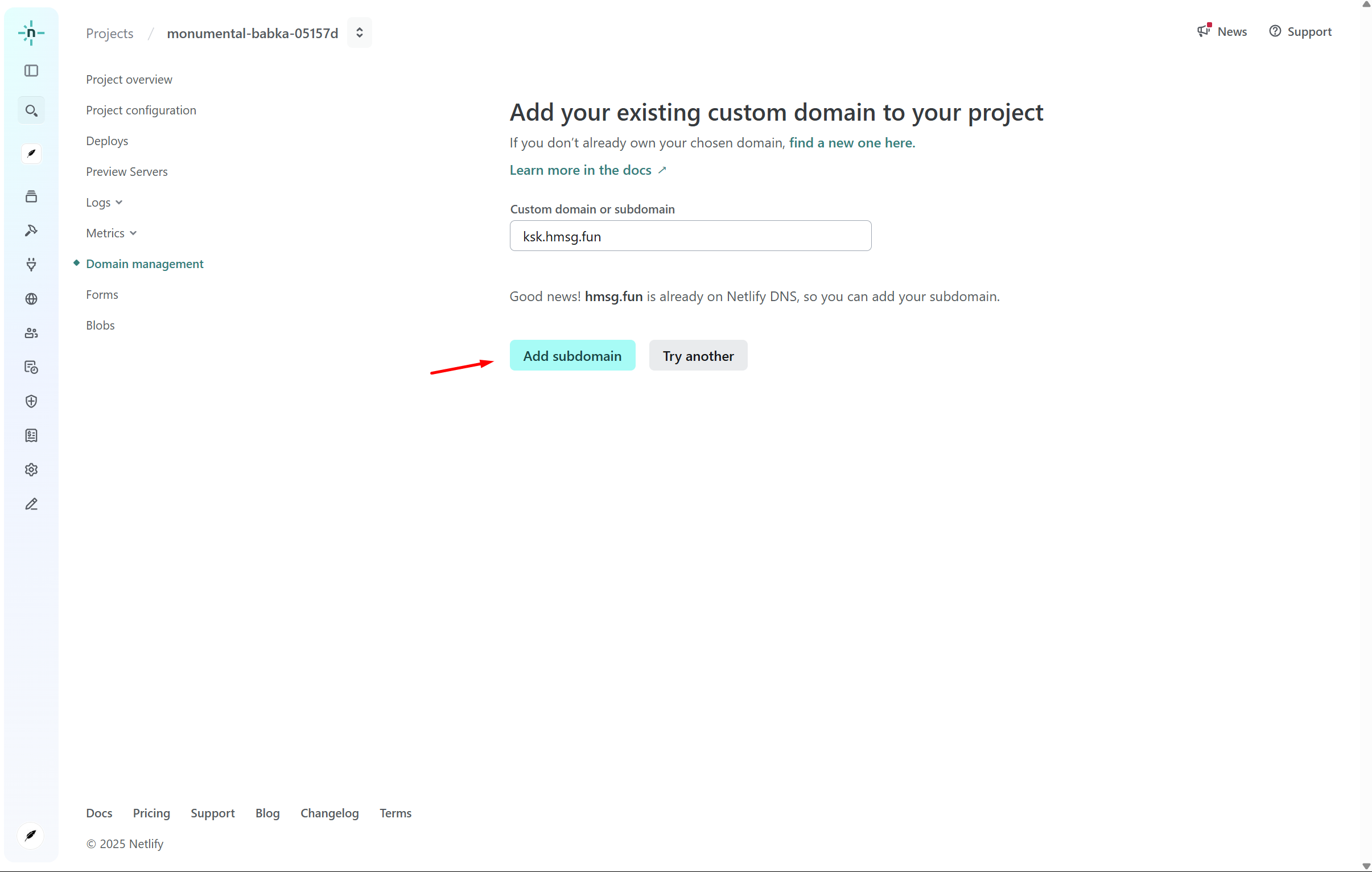
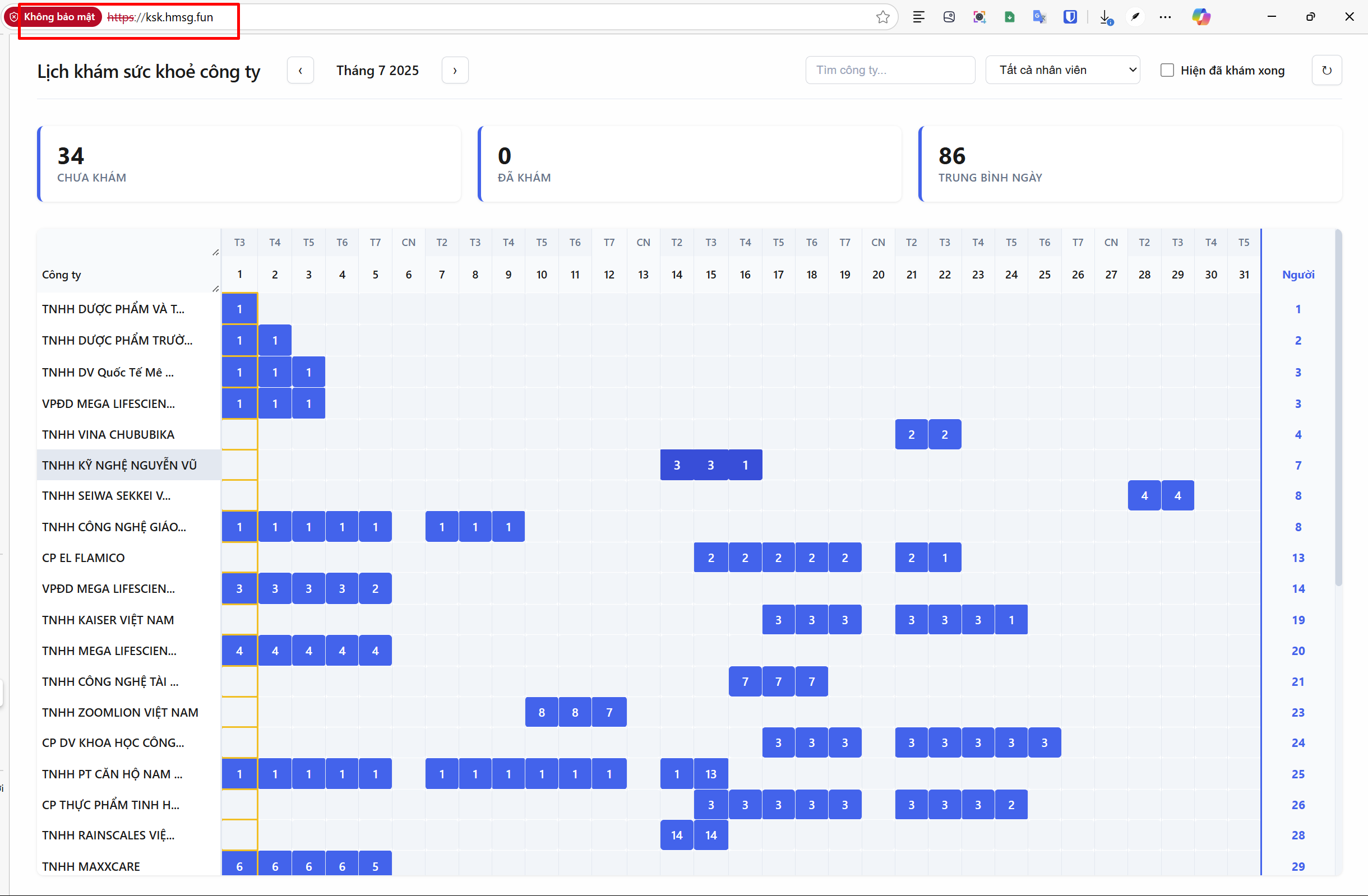
Thành công
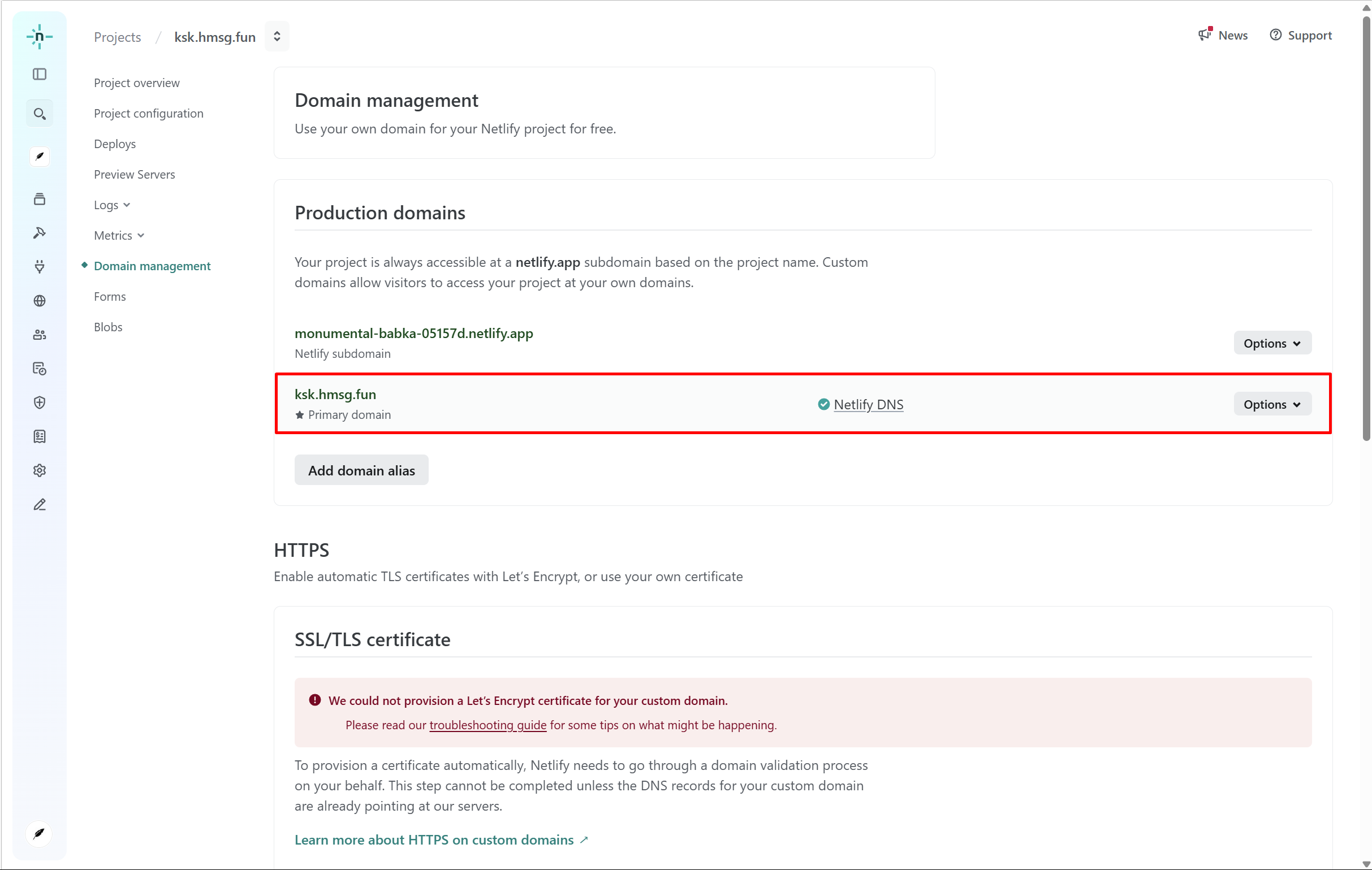
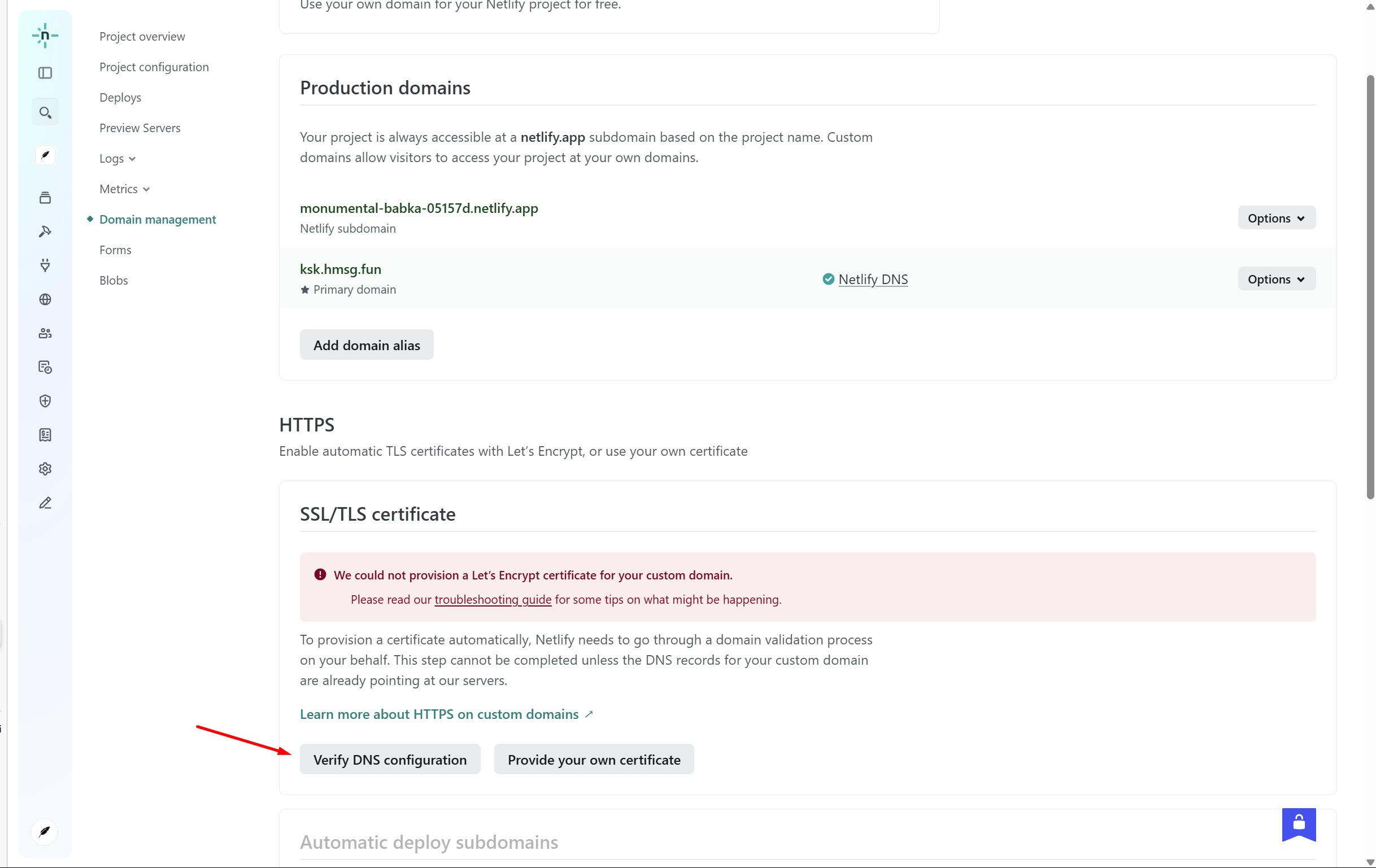
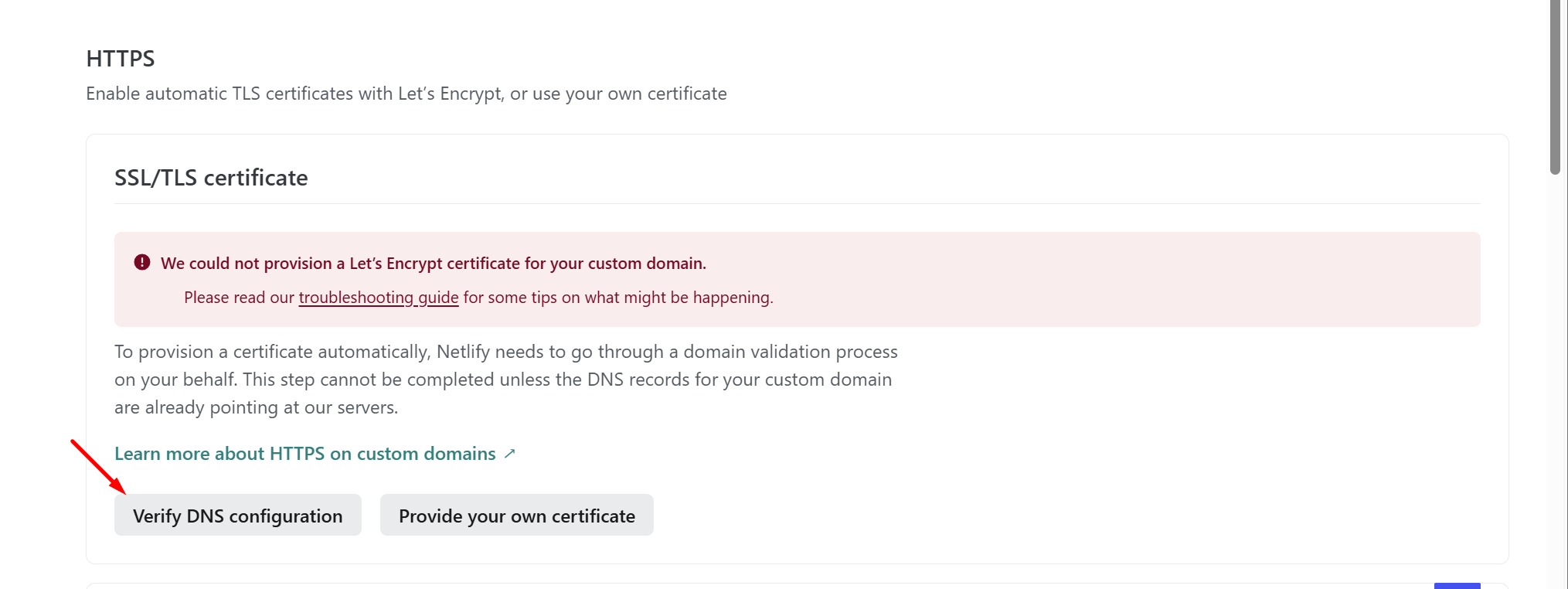
Xác thực SSL/TLS certificate
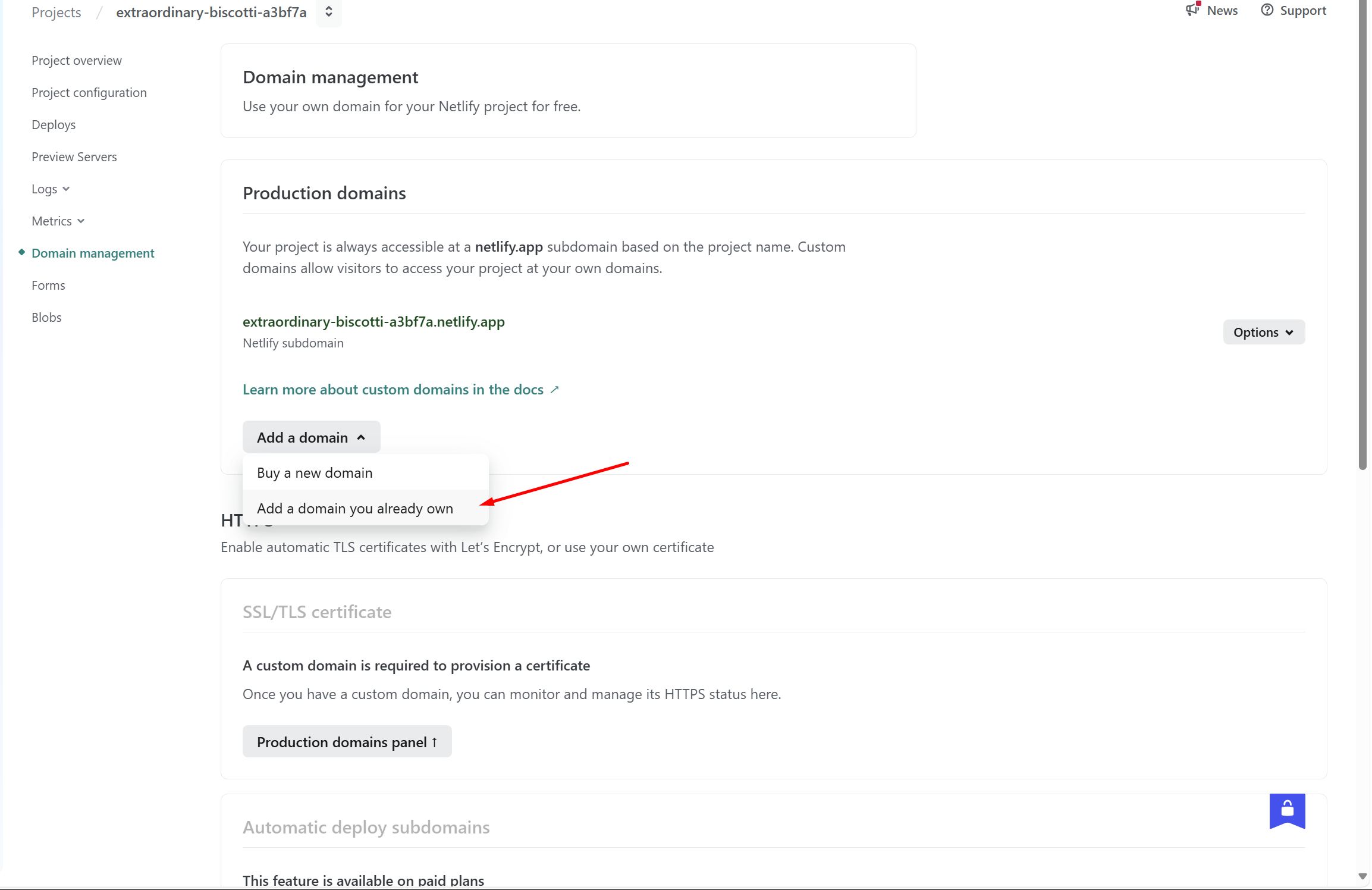
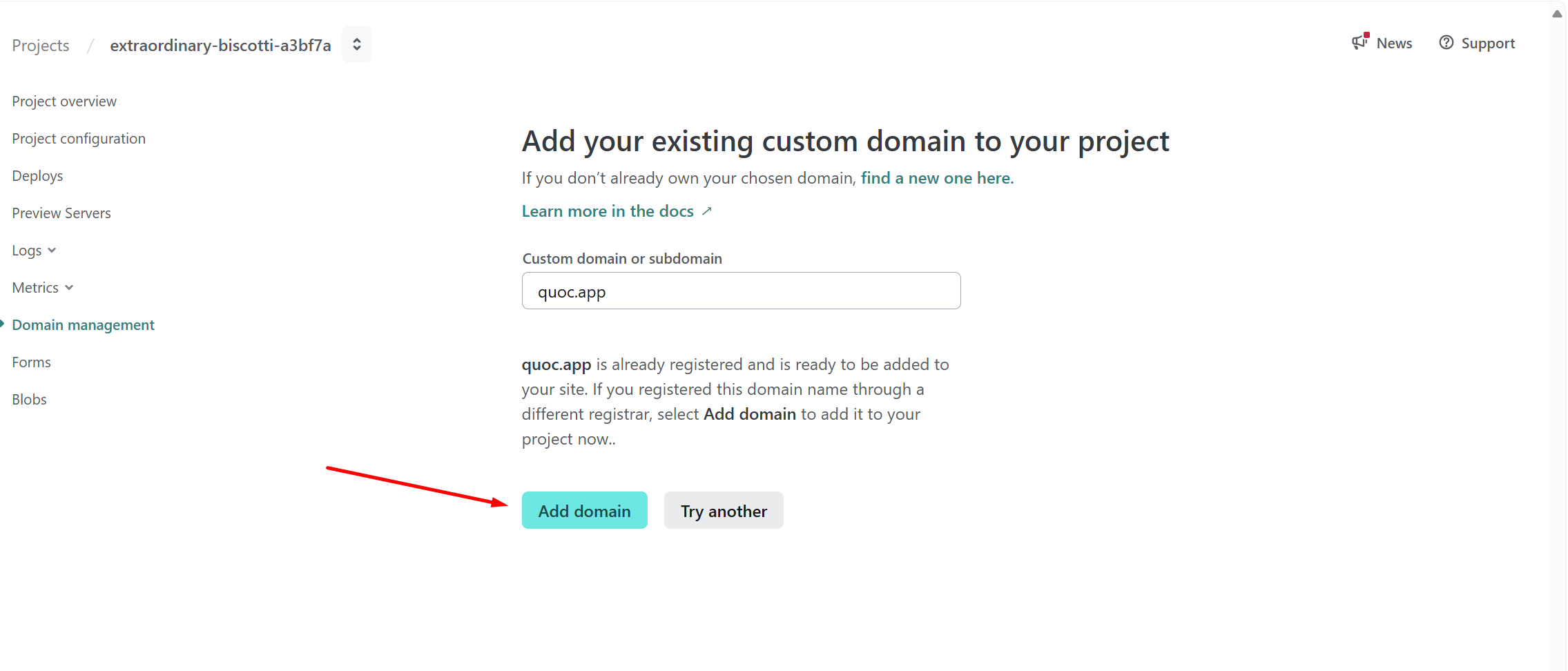
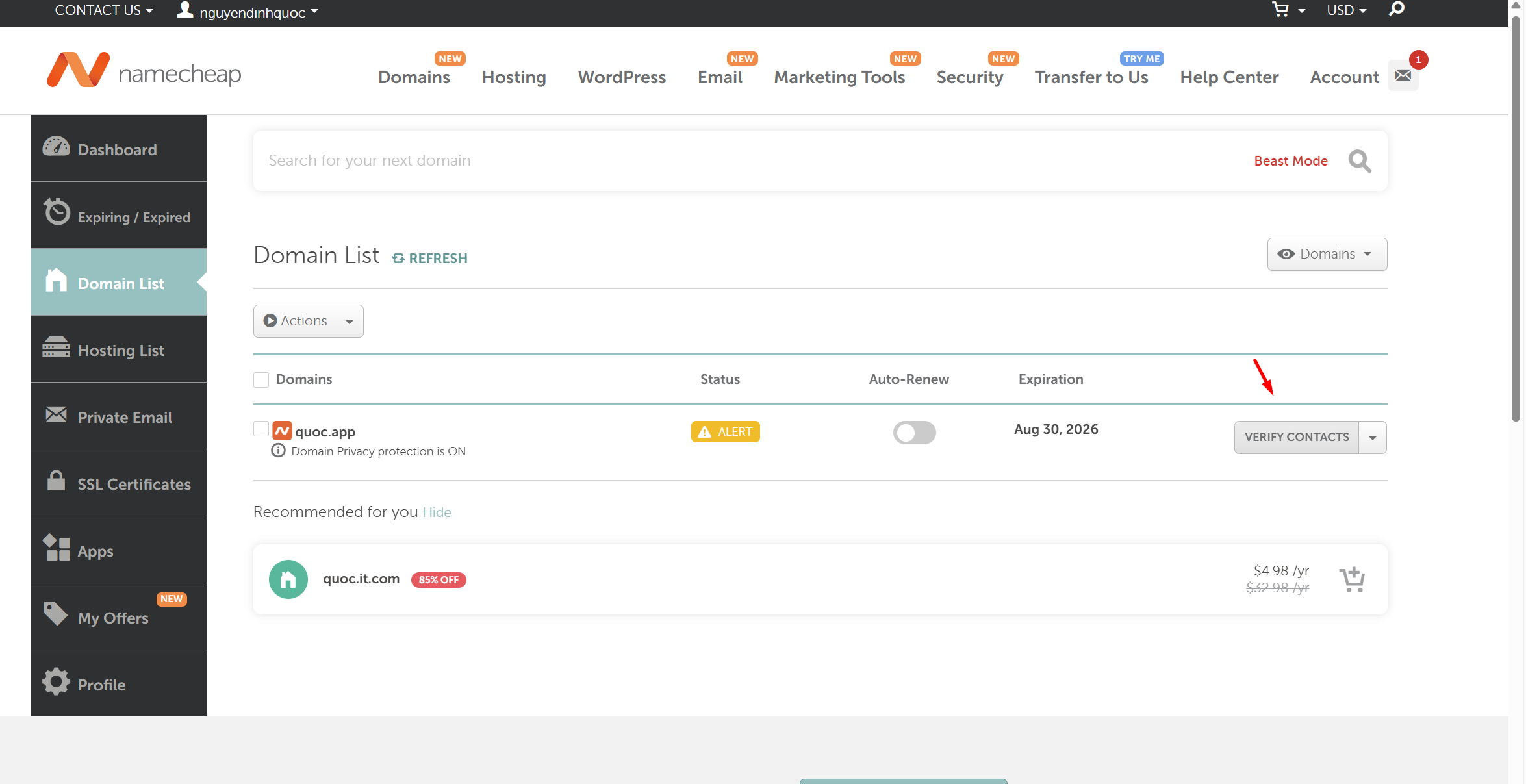
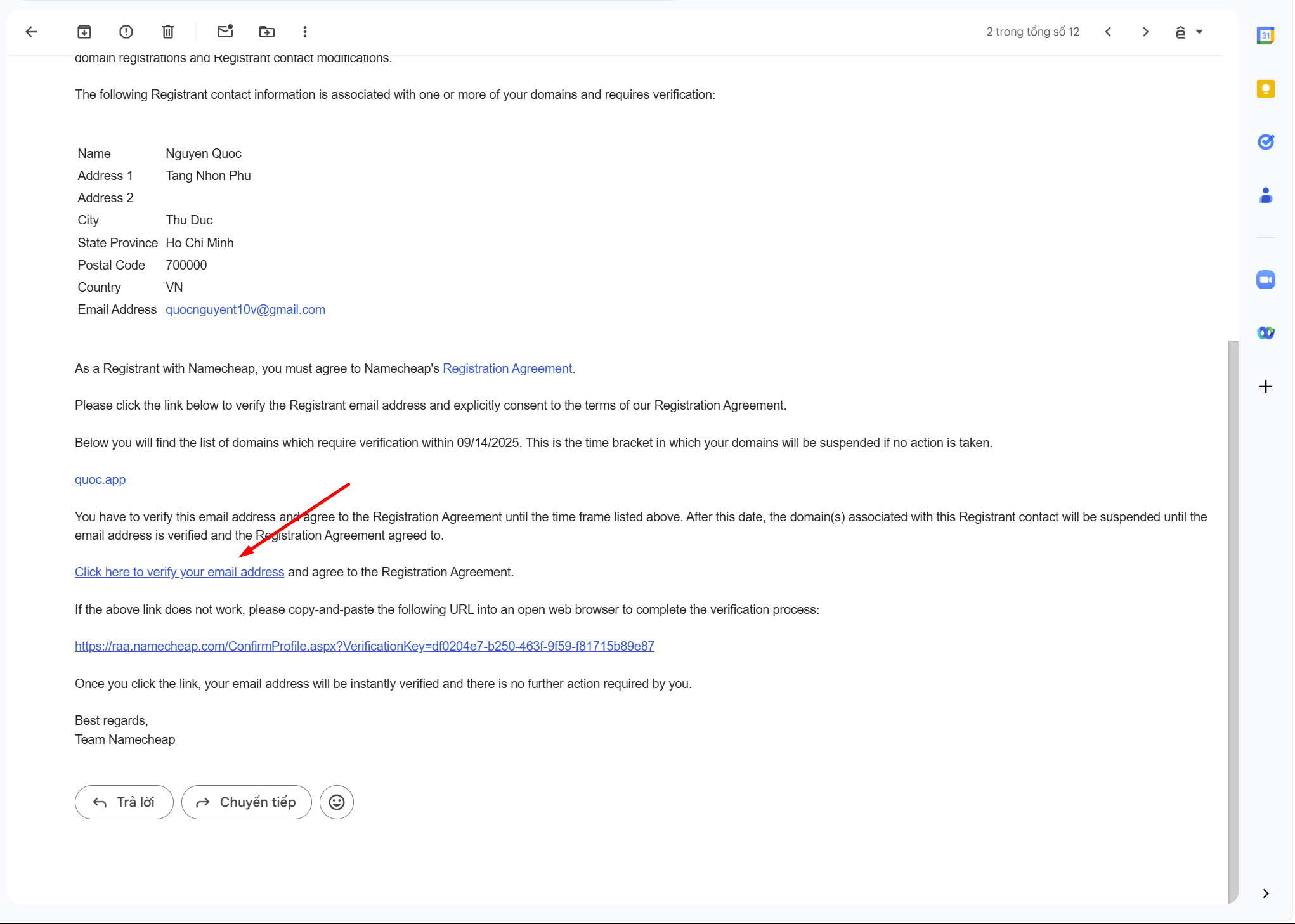
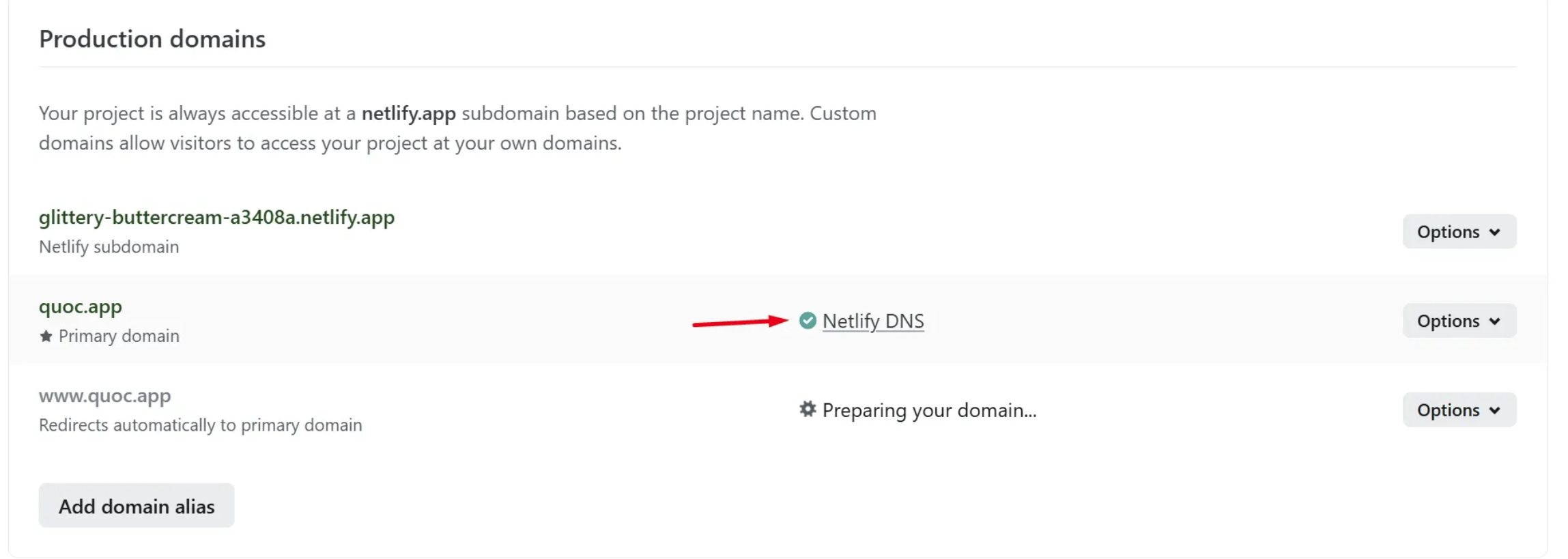
Namecheap + Netlify
Netlify
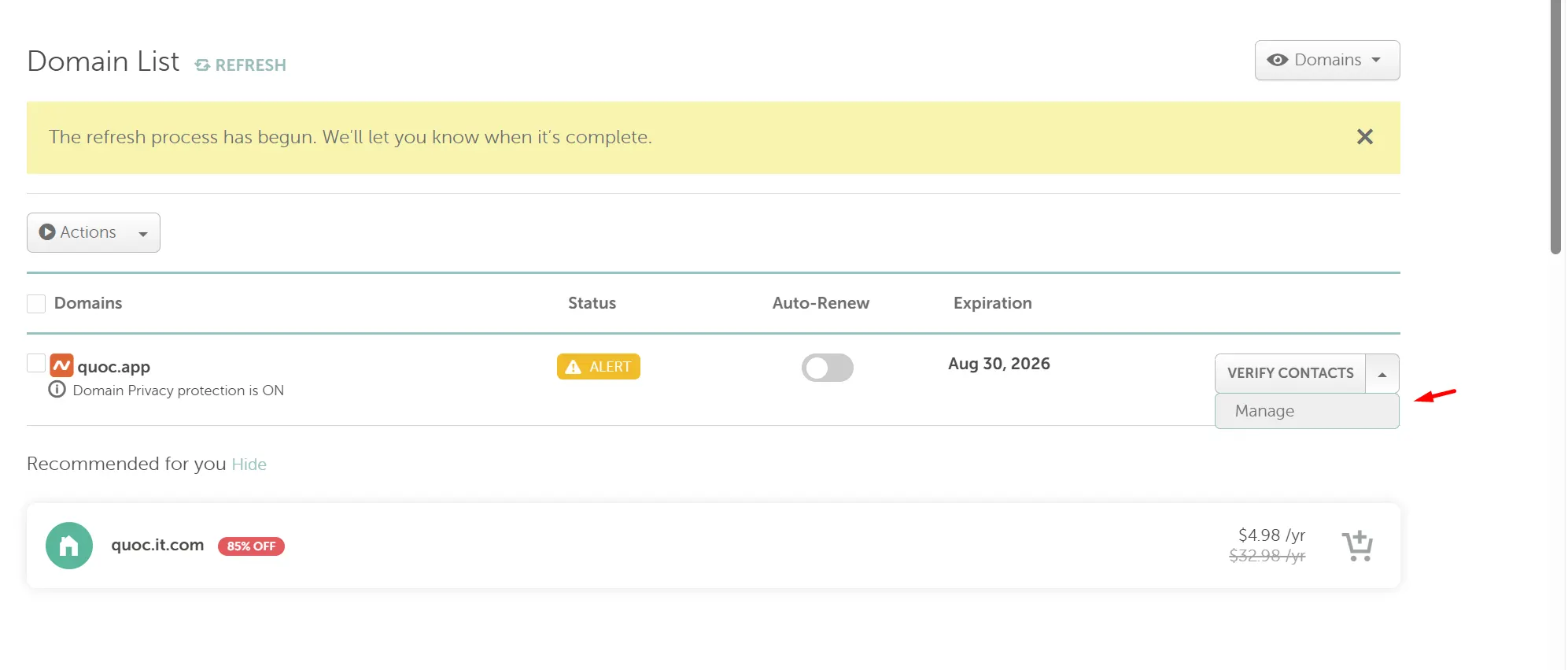
https://ap.www.namecheap.com/domains/domaincontrolpanel/quoc.app/domain
Namecheap
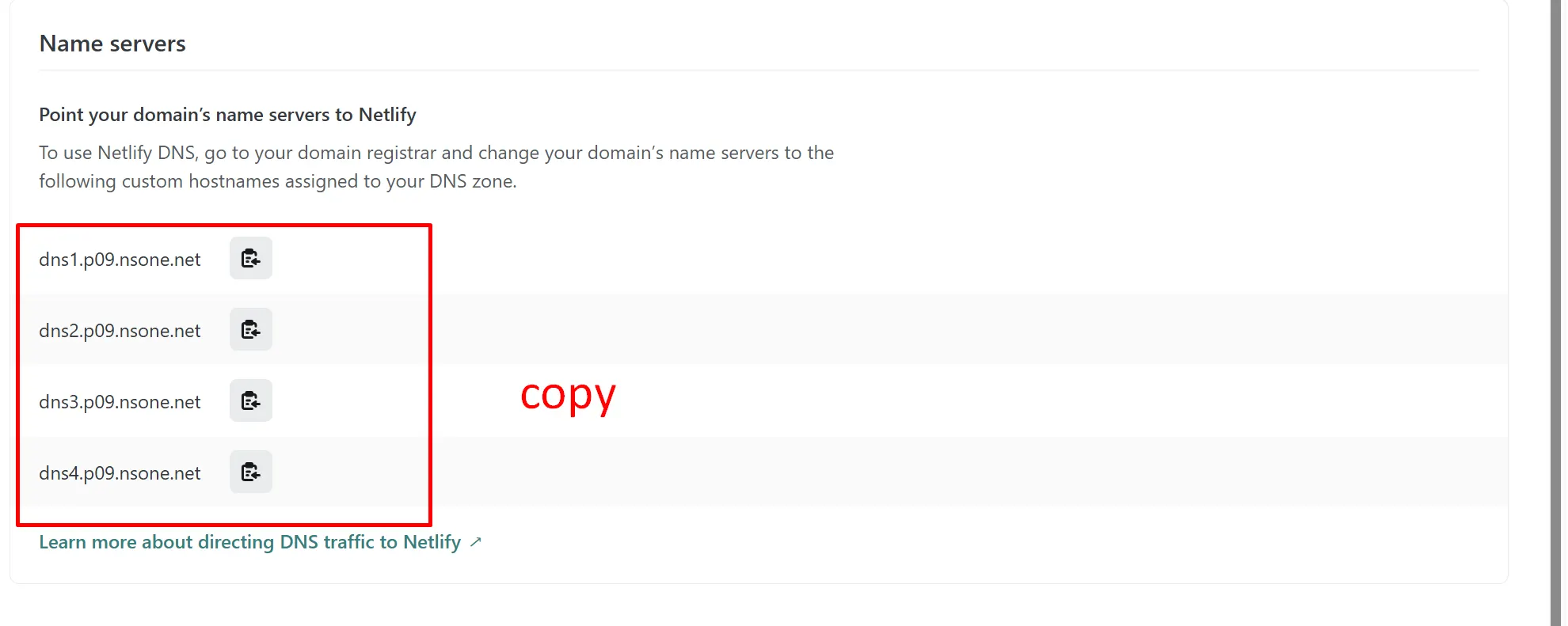
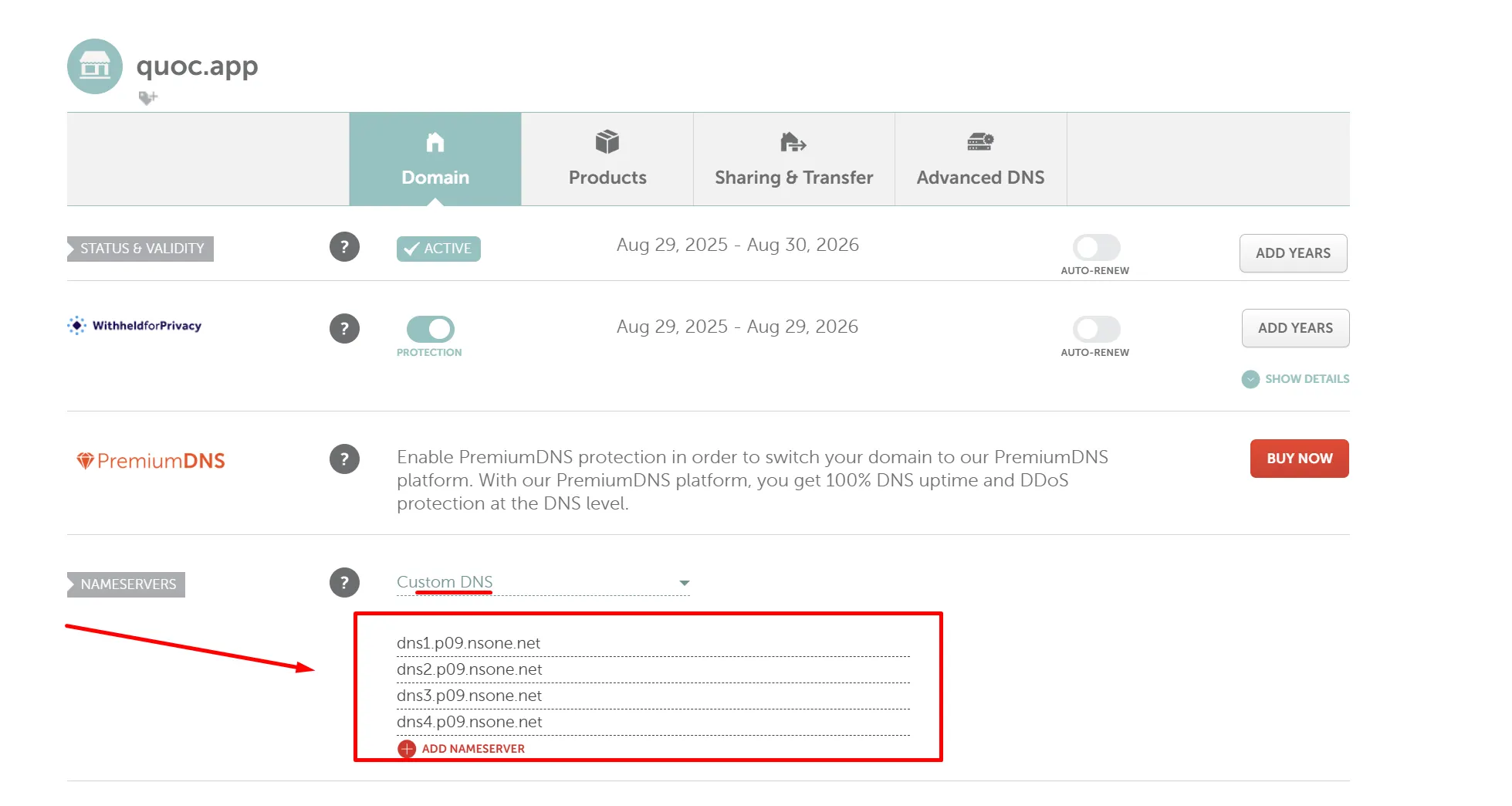
dns1.p09.nsone.net
dns2.p09.nsone.net
dns3.p09.nsone.net
dns4.p09.nsone.net
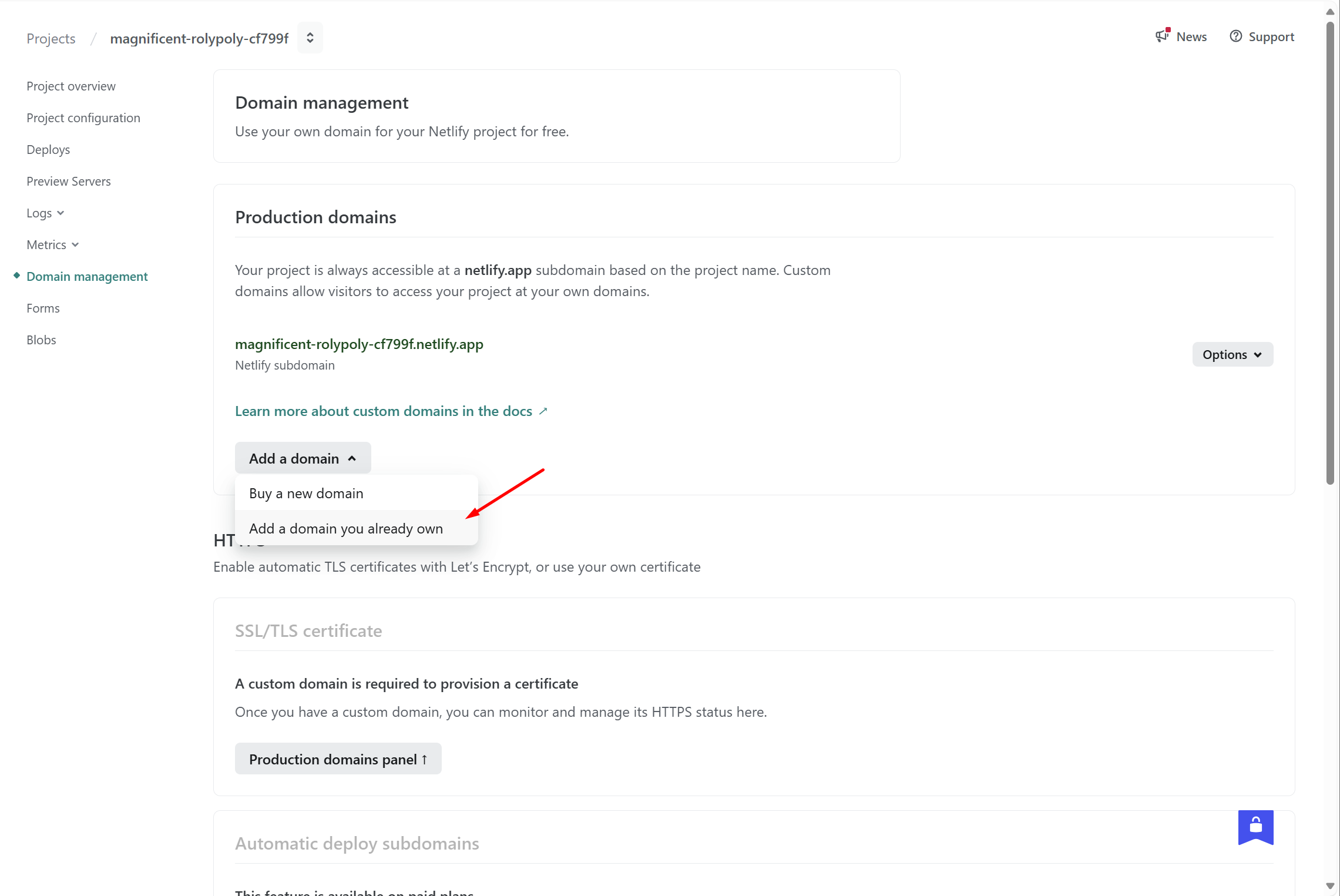
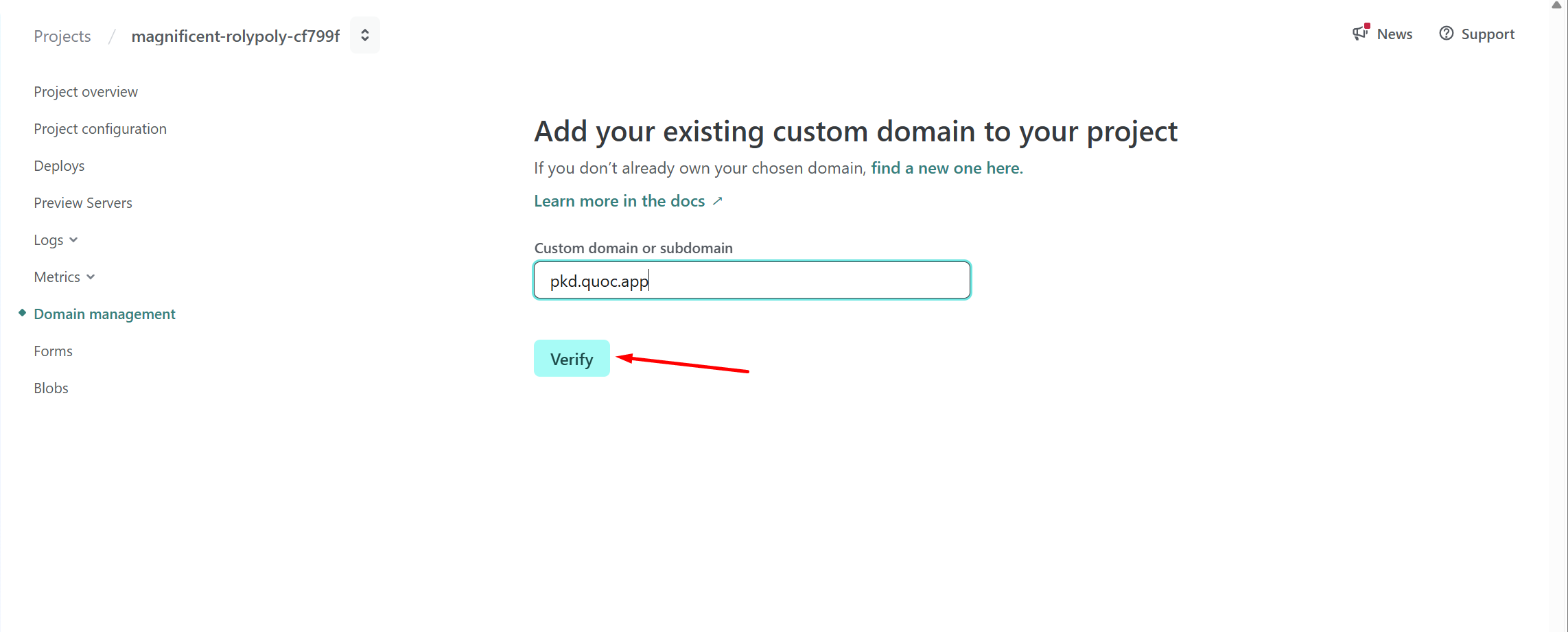
Liên kết tên miền phụ
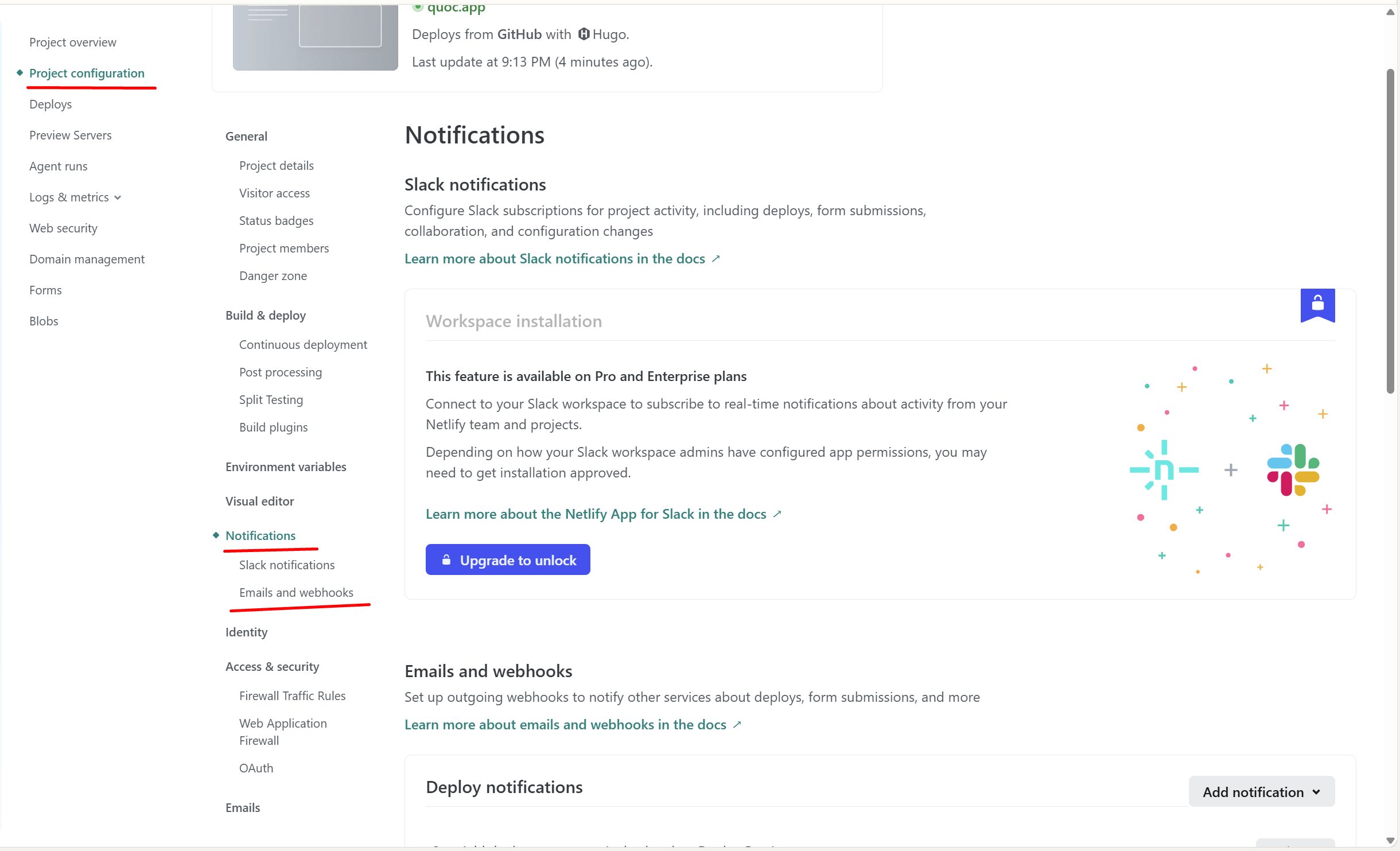
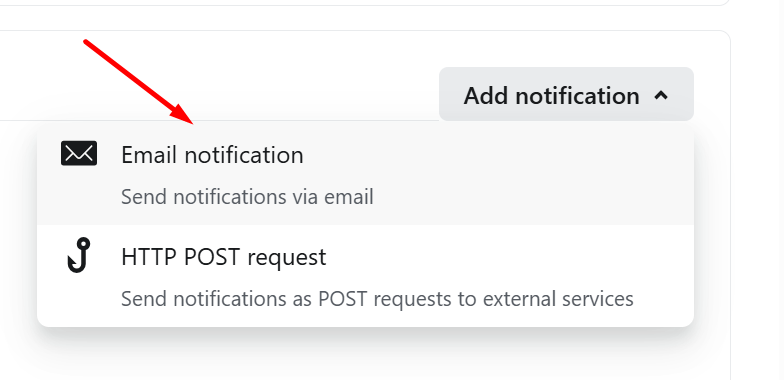
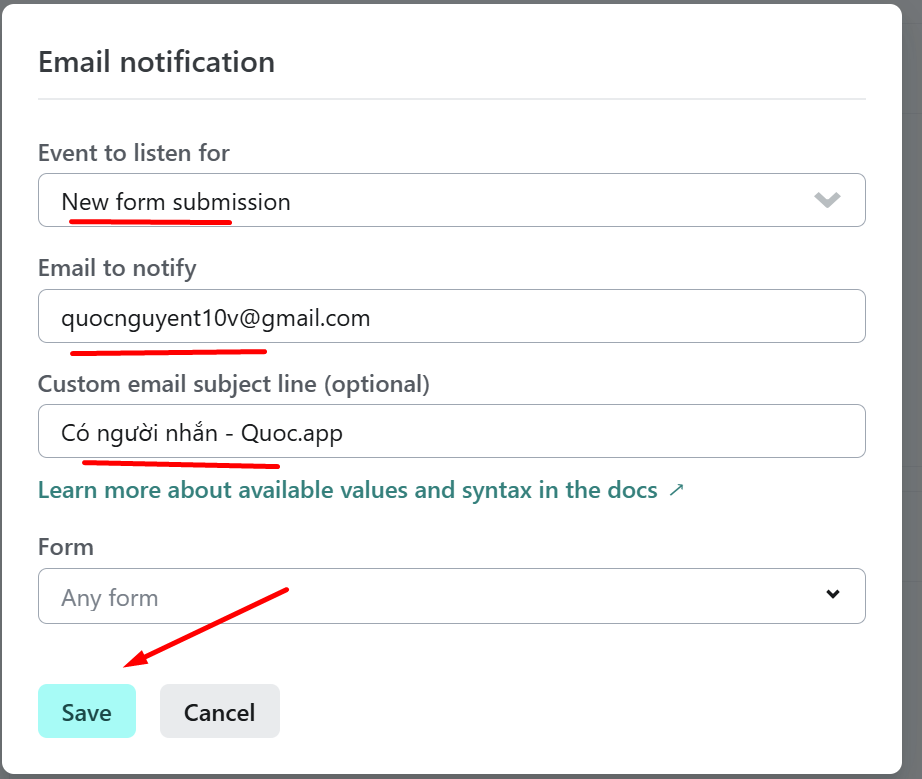
Cấu hình nhận thông báo qua mail khi có người gửi Form